
Bass Booster Extreme is a Chrome extension built for listeners who want more low-end punch from browser audio. Whether you are watching music videos on YouTube, streaming podcasts, or listening to online radio, the extension lets you raise bass levels beyond what your system volume alone provides.
Browser Extension
Bass Booster Extreme
Boost bass and enhance audio in your browser
Bass Booster Extreme helps you amplify bass and improve overall audio clarity while browsing. Adjust levels to match your headphones or speakers, enjoy music and video with more depth, and keep settings stored locally on your device.


Screenshots from Chrome Web Store
See how Bass Booster Extreme looks in the browser - real images from the store listing.
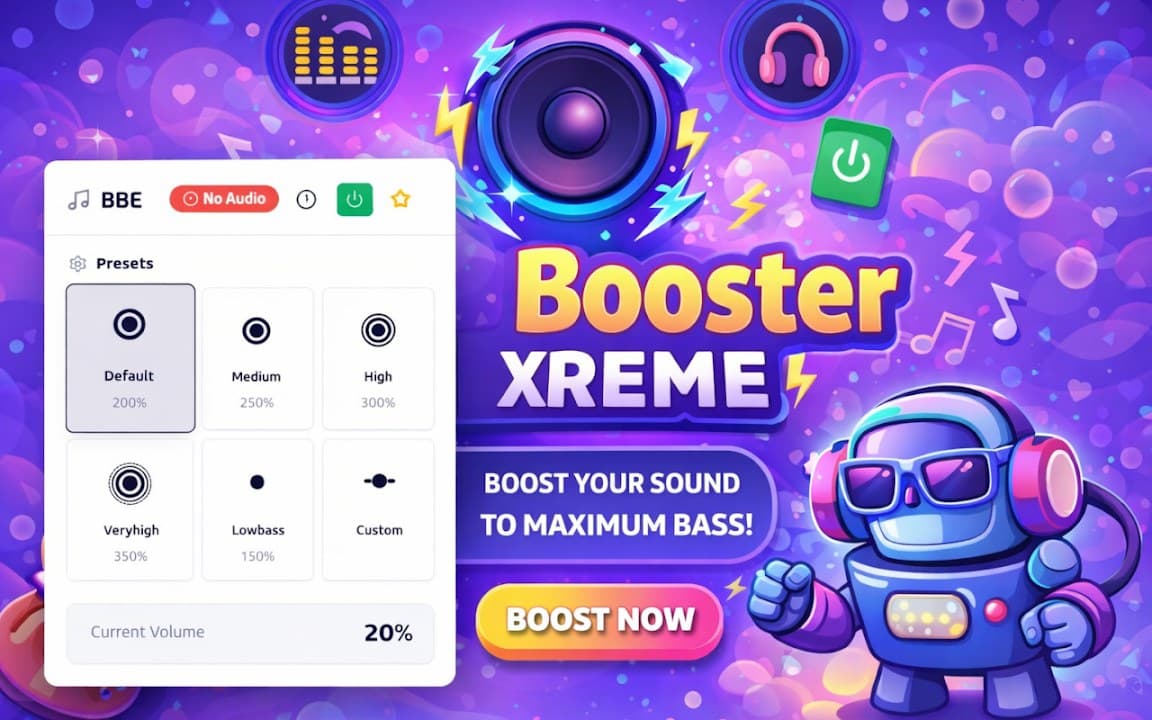


Overview
Boost bass and enhance audio in your browser
A closer look at what Bass Booster Extreme does, who it is for, and how it fits into your browsing setup.
The interface stays simple: turn the booster on, adjust the intensity, and listen. Settings are stored locally on your device, so there is no account to create and no cloud sync required. It works on tab audio from most websites that play sound in the browser.
If you often feel that laptop speakers or basic headphones lack depth, Bass Booster Extreme is a lightweight way to add warmth and weight without installing a full desktop audio suite. Install free from the Chrome Web Store and tweak levels until the sound matches your setup.
audiobassequalizermusicchrome extension
Key Features
- Boost bass for browser audio
- Works with videos and music sites
- Simple on/off controls
- Local settings storage
- Lightweight performance
Install in three steps
- 1
Open the Chrome Web Store listing and click Add to Chrome.
- 2
Confirm the install prompt in your browser.
- 3
Pin the extension and adjust settings from the toolbar menu.
More from Cusmize
Related Extensions
Other free browser extensions you might like.

Audio Equalizer
Amplifier and sound equalizer for the web
View extension
Audio Equalizer Amplifier
Equalizer and amplifier for browser audio
View extension
Equalizer for Browser
10-band audio equalizer and volume booster for Chrome
View extension
Equalizer for Chrome Browser
10-band EQ for Chrome tab audio
View extensionReady to try Bass Booster Extreme?
Free to install. No account required. Settings stay on your device.
Install from Chrome Web Store