
Equalizer for Chrome Browser provides multi-band EQ specifically for Chrome tab audio. Adjust sliders, switch presets, and improve clarity on videos, music streams, and web players without touching system-wide sound settings.
Browser Extension
Equalizer for Chrome Browser
10-band EQ for Chrome tab audio
Equalizer for Chrome Browser provides multi-band EQ controls for tab audio. Adjust bands, switch presets, and improve clarity, bass, or balance while watching videos or listening online.

Screenshots from Chrome Web Store
See how Equalizer for Chrome Browser looks in the browser - real images from the store listing.
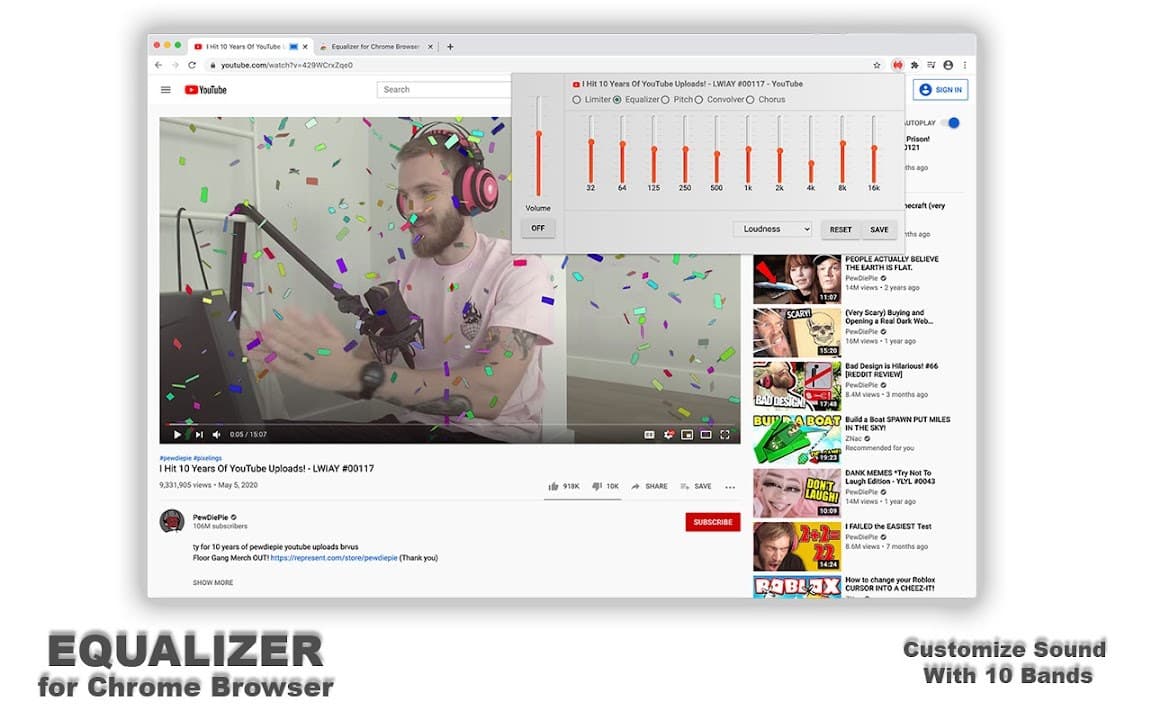
Overview
10-band EQ for Chrome tab audio
A closer look at what Equalizer for Chrome Browser does, who it is for, and how it fits into your browsing setup.
It is a solid pick for Chrome-first users who want dedicated equalizer controls in the toolbar. Use presets for quick fixes or manual tuning when you know which frequencies need attention.
Free from the Chrome Web Store. Settings are stored locally, and no sign-up is required.
audioequalizerchromemusicchrome extension
Key Features
- Multi-band equalizer
- Quick presets
- Tab audio tuning
- Low CPU usage
- Local preferences
Install in three steps
- 1
Open the Chrome Web Store listing and click Add to Chrome.
- 2
Confirm the install prompt in your browser.
- 3
Pin the extension and adjust settings from the toolbar menu.
More from Cusmize
Related Extensions
Other free browser extensions you might like.




Ready to try Equalizer for Chrome Browser?
Free to install. No account required. Settings stay on your device.
Install from Chrome Web Store