
Custom Cursor Pro expands on basic cursor changers with a larger library and smoother switching between pro-style packs. It is aimed at users who already know they want custom pointers and need more variety than a minimal starter extension.
Browser Extension
Custom Cursor Pro
Pro custom cursor styles for Chrome
Custom Cursor Pro offers an expanded set of cursor designs and controls for users who want more customization. Apply pro-style cursor packs, adjust settings, and keep everything stored locally.

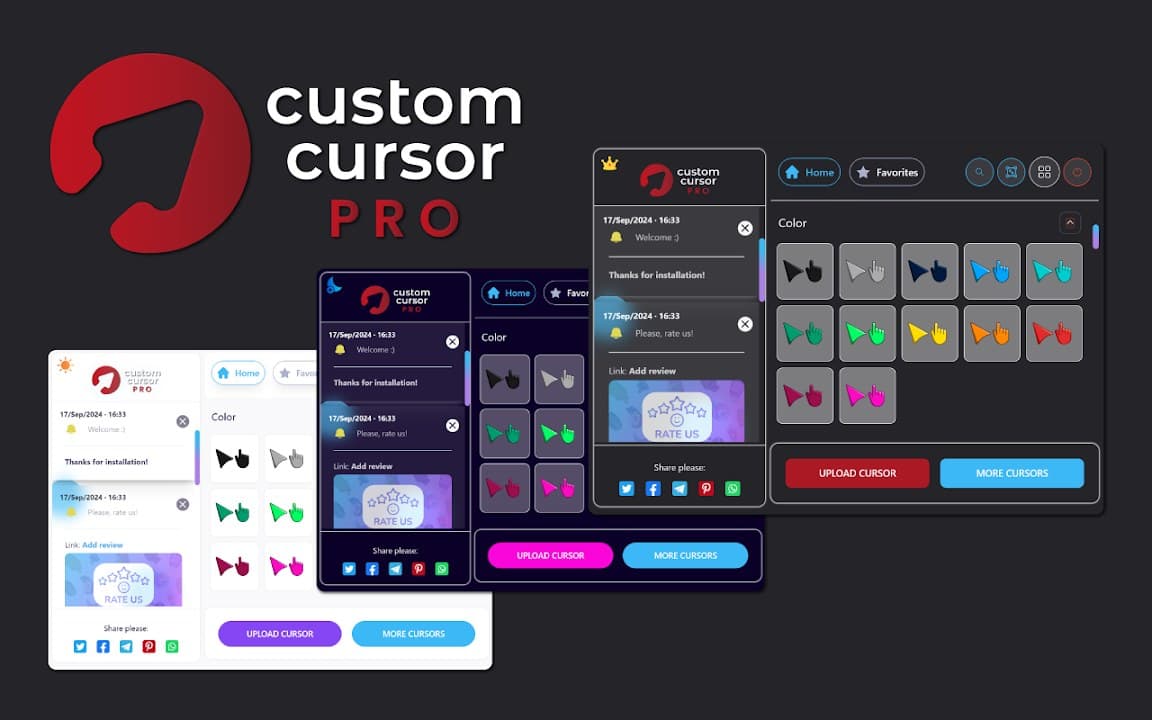
Screenshots from Chrome Web Store
See how Custom Cursor Pro looks in the browser - real images from the store listing.
Overview
Pro custom cursor styles for Chrome
A closer look at what Custom Cursor Pro does, who it is for, and how it fits into your browsing setup.
Expect broader collections, quicker pack changes, and a polish-oriented browsing experience in the popup. Like other Cusmize cursor tools, it applies on supported websites without changing your operating system cursor.
Install free from the Chrome Web Store. Custom Cursor Pro keeps preferences on your device and lets you disable custom cursors instantly when you need the default pointer back.
cursorcustomizationprochrome extension
Key Features
- Expanded cursor library
- Pro-style packs
- Smooth style switching
- Local storage only
- Works on most sites
Install in three steps
- 1
Open the Chrome Web Store listing and click Add to Chrome.
- 2
Confirm the install prompt in your browser.
- 3
Pin the extension and adjust settings from the toolbar menu.
More from Cusmize
Related Extensions
Other free browser extensions you might like.




Ready to try Custom Cursor Pro?
Free to install. No account required. Settings stay on your device.
Install from Chrome Web Store