
Awesome Cursors replaces the default mouse pointer with custom cursor packs across websites you visit. Choose from cute, minimal, gaming, and animated styles, then apply a pack in one click from the extension popup.
Browser Extension
Awesome Cursors
Custom mouse cursors for Chrome
Awesome Cursors brings hundreds of cursor designs to your browser. Pick a pack, apply it instantly, and personalize how your pointer looks on supported websites.


Screenshots from Chrome Web Store
See how Awesome Cursors looks in the browser - real images from the store listing.

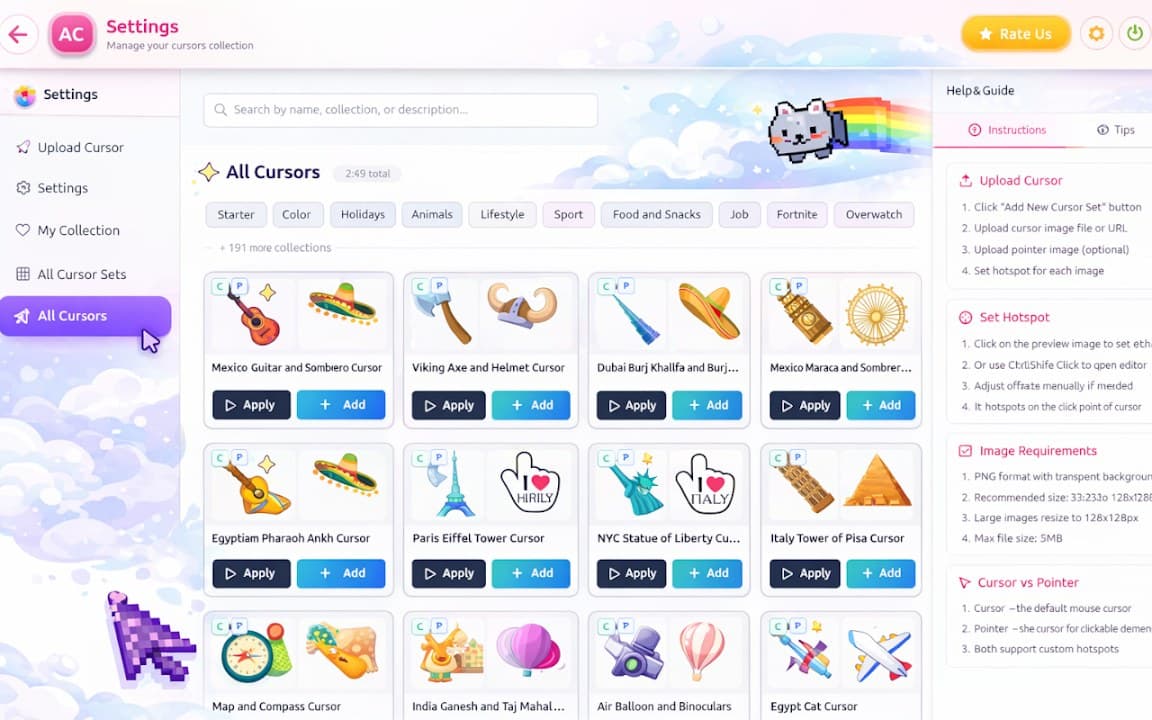

Overview
Custom mouse cursors for Chrome
A closer look at what Awesome Cursors does, who it is for, and how it fits into your browsing setup.
It is a fun way to personalize Chrome without changing system-wide cursor settings. The library is the main draw-hundreds of designs mean you can switch looks to match your mood, desktop theme, or stream overlay.
Awesome Cursors is free to install from the Chrome Web Store. Browse packs, apply your favorite, and disable the effect anytime. Settings stay on your device with no account required.
cursorcustomizationthemeschrome extension
Key Features
- Large cursor style library
- One-click apply
- Multiple cursor packs
- Works on most websites
- Free to browse styles
Install in three steps
- 1
Open the Chrome Web Store listing and click Add to Chrome.
- 2
Confirm the install prompt in your browser.
- 3
Pin the extension and adjust settings from the toolbar menu.
More from Cusmize
Related Extensions
Other free browser extensions you might like.




Ready to try Awesome Cursors?
Free to install. No account required. Settings stay on your device.
Install from Chrome Web Store