
Cursor Space specializes in space-themed and cosmic pointer designs. Stars, planets, rockets, and sci-fi styled cursors give browsing a playful astronomical twist without installing a full desktop theme.
Browser Extension
Cursor Space
Space-themed custom cursors
Cursor Space specializes in space-inspired and creative cursor designs. Choose stellar pointer styles, enable them across websites, and keep your setup saved locally on your device.


Screenshots from Chrome Web Store
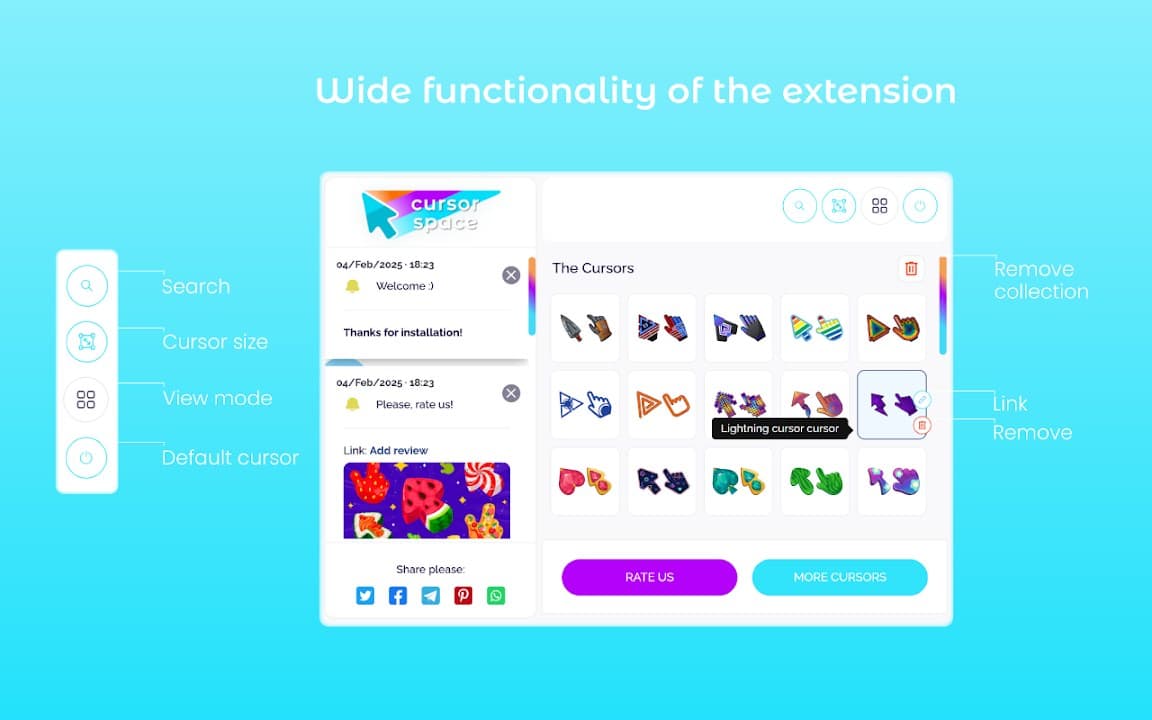
See how Cursor Space looks in the browser - real images from the store listing.

Overview
Space-themed custom cursors
A closer look at what Cursor Space does, who it is for, and how it fits into your browsing setup.
It is ideal for space fans, gamers, and anyone who wants a distinctive cursor that stands out from generic arrow packs. Enable it during casual browsing or streams, then disable it for focused work.
Install free from the Chrome Web Store. Cursor Space applies on supported websites and stores your chosen pack locally on your device.
cursorspacethemeschrome extension
Key Features
- Space-themed cursors
- Creative pointer styles
- Easy toggling
- Local settings storage
- Lightweight extension
Install in three steps
- 1
Open the Chrome Web Store listing and click Add to Chrome.
- 2
Confirm the install prompt in your browser.
- 3
Pin the extension and adjust settings from the toolbar menu.
More from Cusmize
Related Extensions
Other free browser extensions you might like.




Ready to try Cursor Space?
Free to install. No account required. Settings stay on your device.
Install from Chrome Web Store