BF2042 Portal Extensions
by Lennard Fonteijn5.0
7 reviews
456
users
Published
May 4, 2023
Screenshots
Description
NOTE! As of v2.0.0 the extension is purposely split into a Browser Extension with minimal functionality and a Web Extension that does the rest as described below. The Browser Extension will load a Web Extension of your choice, which in turn is also responsible for managing plugins. The recommended Web Extension comes with a default Plugin Manager. In order to load additional plugins, you can open the Plugin Manager by right-clicking a Blockly workspace and going into Options > Plugin Manager.
Functionality available:
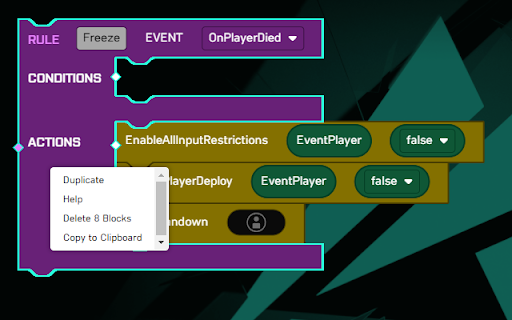
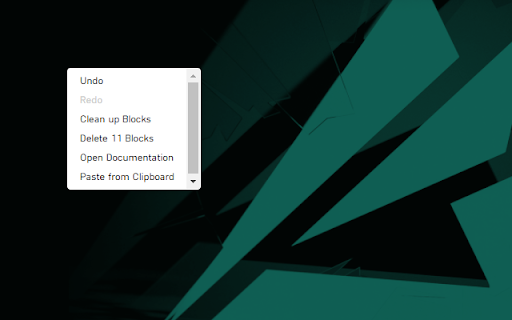
- Open Documentation
- Copy to Clipboard
- Paste from Clipboard
- Add/Remove Comment
- Show Inputs Vertically/Horizontally
- Expand/Collapse Block
- Expand/Collapse All Blocks
- Add Blocks from the Context-menu
- Toggle Distraction-Free Mode
- Toggle Toolbox
- Jump to Subroutine
- Import/Export Blocks from/to JSON
- Export Blocks to SVG[1] and PNG
- Multiple selection by holding down SHIFT[2][3]:
- Drag selection as one
- Export selection to SVG[1] and PNG
- Copy/Paste selection to/from clipboard
- Plugin system
[1] The SVG still contains all other blocks, it is only focused on the selected portion! If you only intended to share a selection, copy/paste it to a clean workspace first.
[2] CTRL is used by Blockly to detach a block when dragging, hence SHIFT was used.
[3] Most actions from the context-menu do not support multiple selections yet and will only be performed on the last selected block.