Optimizely Inspector
by Attriato5.0
1 reviews
546
users
Published
July 23, 2024
Screenshots


Description
Easy to use DevTools website debugger for Optimizely experiments.
*No signup required*
*Does not track your personal usage*
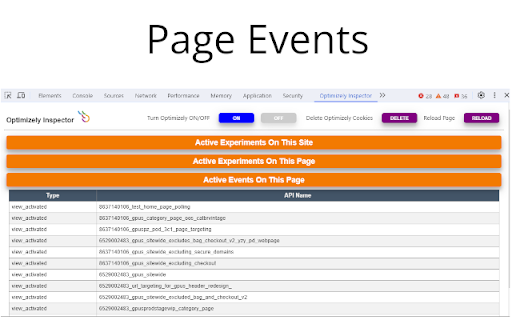
Will detect if Optimizely is running on the website and provide the following details:
• All currently running experiments on the entire site
• Page specific experiment details including which variation you are currently viewing
• Events that are triggered on the current page
• Ability to completely disable Optimizely (if a standard implementation has been used)
• Ability to delete all Optimizely cookies
• Ability to switch Variations
Getting started:
Optimizely Inspector adds a new tab in Chrome DevTools. The panel must be open for the debugger to work (reload the page if necessary).
To open the Chrome DevTools
• On Windows and Linux, press (Control-Shift-I)
• On Mac, press ⌘⌥I (Command-Option-I)
Select Optimizely Inspector
*UPDATE 07/22/2024*
• Bug fixes
*UPDATE 07/19/2024*
• Bug fixes
*UPDATE 12/22/2023*
• New UI with collapsible tables
• Reload button added
• Removed Google Universal Analytics Custom Dimension Number
• Bug fixes
*UPDATE 04/12/2022*
• Now provides ability to switch Variations
Add to Chrome
Quick Info
- Version
- 3.1
- Size
- 573KiB
- Price
- Free
- Type
- Extension
Categories
Languages
English (United States)