Fix translation
by ouweiya4.0
12 reviews
1.0K
users
Published
February 1, 2023
Screenshots


Description
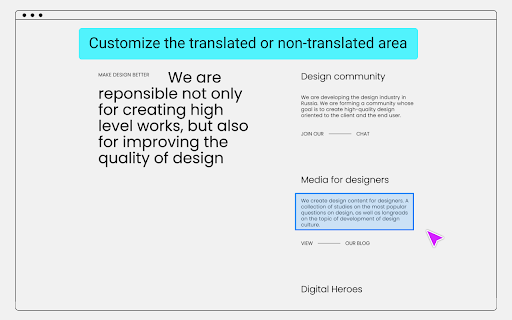
Google Translate usually translates all content, but sometimes parts of the content do not need to be translated, such as: code, terminology, name, ... etc.
Use introduction
Click the "Select Element" button to start the selection mode.
Press ESC key to exit the selection mode and refresh the page to take effect.
Mouse operation mode:
Left click
No translation, apply font style.
Middle click
Forced translation.
Right click
No translation, no font style.
Repeated clicks will deselect the area.
Press the button, along with the mouse wheel, you can adjust the selection range size.
Tips:
When the mouse button cooperates with the scroll wheel to adjust the range, click different mouse buttons to apply different settings.
Data is automatically kept in sync with Chrome, no need to worry about data loss.
Receive questions feedback email: [email protected]
Add to Chrome
Quick Info
- Version
- 3.0.5
- Size
- 54.99KiB
- Price
- Free
- Type
- Extension
Categories
Languages
DeutschEnglishEnglish (United Kingdom)English (United States)FilipinoIndonesiaKiswahiliMelayuNederlandsTiếng ViệtTürkçecatalàdanskeestiespañolespañol (Latinoamérica)françaishrvatskiitalianolatviešulietuviųmagyarnorskpolskiportuguês (Brasil)português (Portugal)românăslovenčinaslovenščinasuomisvenskačeštinaΕλληνικάбългарскирусскийсрпскиукраїнськаעבריתالعربيةفارسیमराठीहिन्दीবাংলাગુજરાતીதமிழ்తెలుగుಕನ್ನಡമലയാളംไทยአማርኛ中文(中国)中文(台灣)日本語한국어