
Font Detector
by Anish Nair5.0
5 reviews
4.0K
users
Published
November 7, 2025
Screenshots
Description
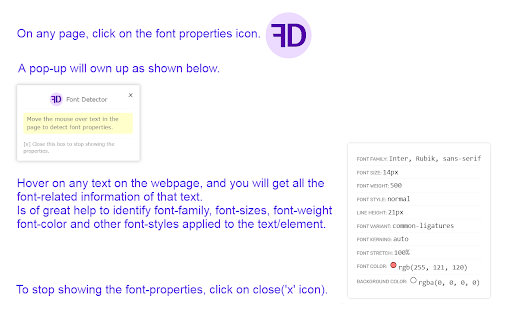
On any page, click on the font properties icon.
A pop-up will own up as shown in the screenshot.
Hover on any text on the webpage, and you will get all the font-related information of that text.
Is of great help to identify font-family, font-sizes, font-weight, font-color and other font-styles applied to the text/element.
To stop showing the font-properties, click on close('x' icon).