
ImgSrc-er
by Scriptable Assets5.0
1 reviews
143
users
Published
January 29, 2024
Screenshots
Description
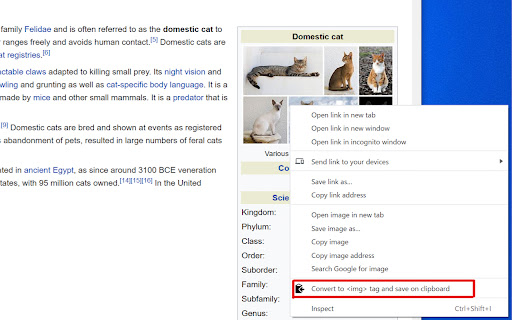
Convert selected image link URL into an HTML <img> tag with src attribute on the clipboard. Either an image, URL of an image, or link to an image can be selected.
For example when a text
"https://example.com/image.jpg"
is selected and this extension is executed via the context menu, the string
<img src="https://example.com/image.jpg" alt="">
is save on the clipboard. You can in turn use this to edit your website or wherever you like.
The text
"https://example.com/image.jpg"
in the above example can be replaced by the image itself or a link object, i.e.,
<a href="https://example.com/image.jpg">Link to Image</a>
in any website.
Attributes:
The icon of this Chrome extension was made by Freepik (https://www.flaticon.com/authors/freepik) from www.flaticon.com (https://www.flaticon.com/).