Inspect
by peppertom96
users
Published
March 2, 2022
Screenshots
Description
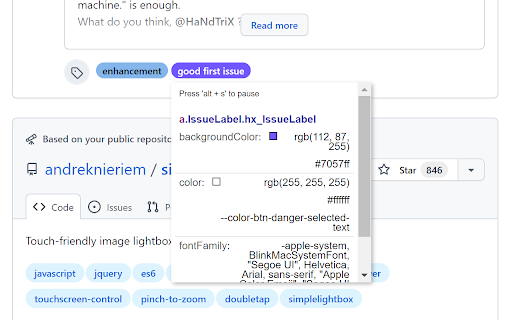
Inspect extension for getting potencial css variables and easily copy them to clipboard. 🎨🧐🔎
This extension mimics and enhances the built-in devtools inspector by adding the explored css variables to the inspector box too. It allowes developers to easily extract any css variables used for styling the inspected element.
How to use it?
1. Activate the extension by clicking on it.
2. Inspect the document as if you were inspecting it with devtools' inspector.
3. Toggle 'inspect mode' and 'paused' mode by pressing 'alt + s' on your keyboard. ⌨️
4 . Copy the desired property's value by clicking on it 🖱️.
5. Remove inspector extension by clicking on it if you are done.
Add to Chrome
Quick Info
- Version
- 1.0
- Size
- 14.77KiB
- Price
- Free
- Type
- Extension
Categories
Languages
English (United States)