AWS Colorize
by Derek5.0
4 reviews
323
users
Published
November 27, 2024
Screenshots
Description
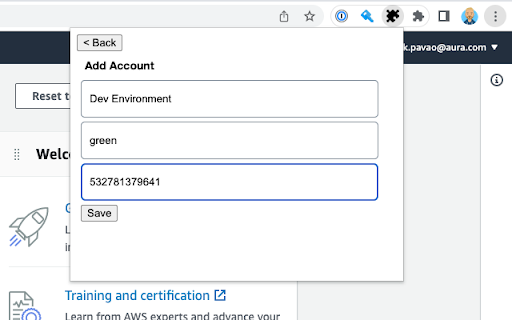
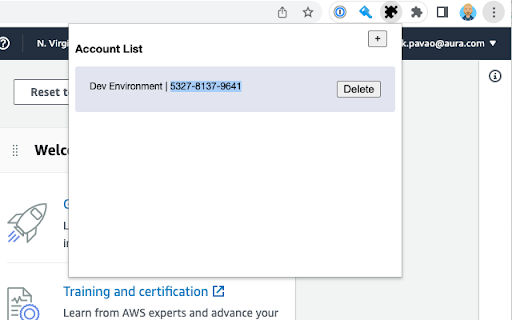
AWS Colorize allows you to choose a name and color to represent the AWS accounts
you log into. This is useful when you have different environments deployed
to different AWS accounts.
When logging into these accounts directly, as one does when using SSO, it's
often hard to tell what environment you are logged into. Mistaking `prod` for `test`
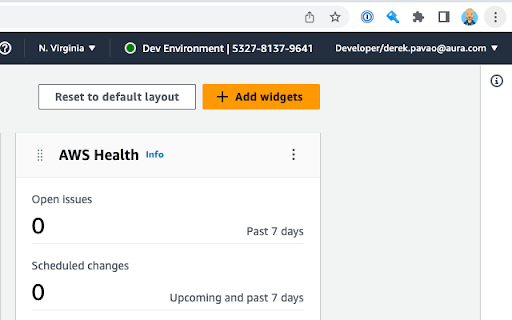
is not desireable ;) When using AWS Colorize you can choose a nickname and color
to be displayed in the header of the AWS console next to the loggd in user's name.
If using AWS Organizations and sub accounts and using AWS switch role
to switch between them, You'd probably be better served by the
`AWS Extend Swtich Roles` extension.
Add to Chrome
Quick Info
- Version
- 0.2.1
- Size
- 15.48KiB
- Price
- Free
- Type
- Extension
Categories
Languages
English (United States)