SQLite Explorer
by gaganjot07449
users
Published
July 7, 2022
Screenshots

Description
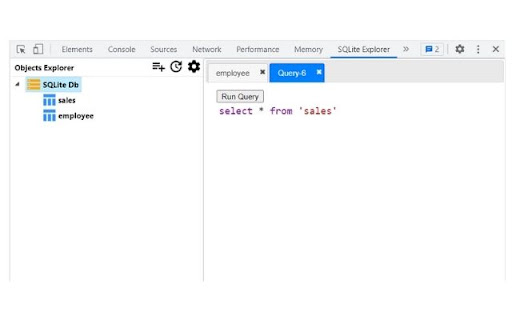
Provides GUI to view Data and run queries on SQLite Web database instances used by any website for developer debugging and analytics purpose using Chrome Devtools.
SQLite Explorer only works with in-browser web SQLite database sql.js
https://github.com/sql-js/sql.js/
Steps
- Open Chrome Devtools window and go to the tab 'SQLite Explorer'
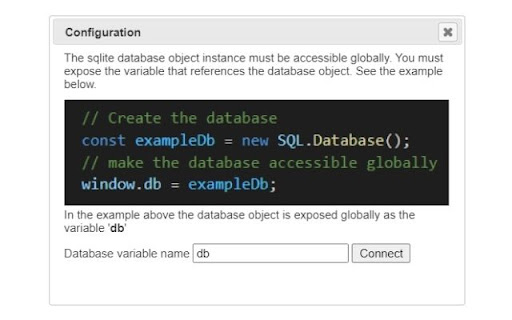
- Configure the connection using the Configuration dialog.
- Then click on the Connect button to load the list of tables in the database.
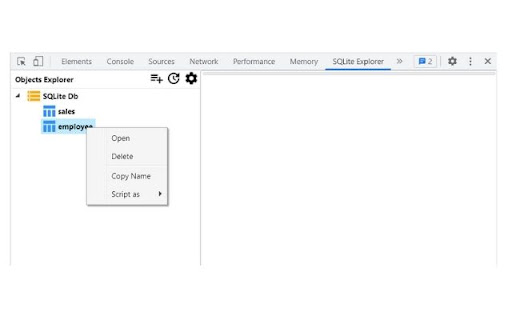
- Right click on any table to see more options (Open, Delete, etc)
- Alternatively click on the New Query button to execute your own query.
Update: Version 1.2.0
- New Context menu - 'Script as' opens a new tab with select query already filled in that can be tweaked if needed, thus saving some manual typing.
- Layout fixes