
ecdiff
by earvinpiamonte65
users
Published
April 27, 2022
Screenshots

Description
Updates
- Add support for git patch
Features
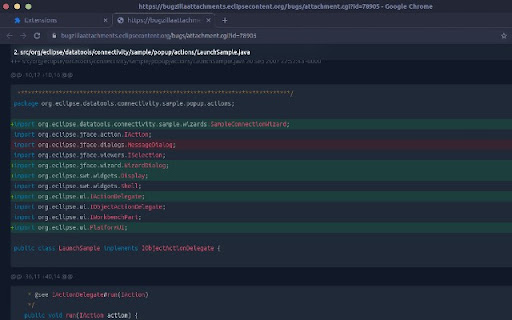
- Code syntax highlighting
- Light/ dark mode
Usage
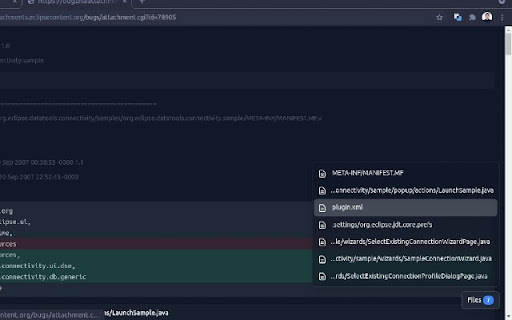
1. Open a code patch file on a Chrome browser
2. Click on the ecdiff extension icon
Toggle dark mode on options page: Right click on the ecdiff extension icon then click on "Options".
To format local code patch files at file:///, enable "Allow access to file URLs" on chrome://extensions/?id=jockmidhjggcfnfdinaihmndknopjjij.
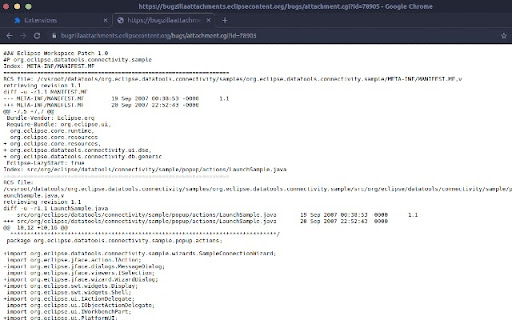
Supported
- git diff
- unified diff code patches created with Eclipse IDE
- unified diff code patches created with CVS diff
Open source
https://github.com/earvinpiamonte/ecdiff
Add to Chrome
Quick Info
- Version
- 0.2.0
- Size
- 484KiB
- Price
- Free
- Type
- Extension
Categories
Languages
English (United States)