
Code Snippet Saver
by Deva Pro9
users
Published
December 14, 2023
Screenshots
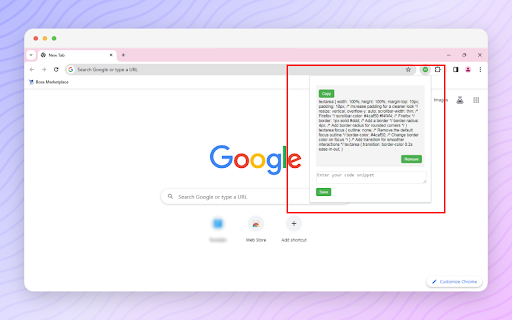
Description
Elevate your coding experience with Code Snippet Saver, the ultimate tool for programmers! 🚀 This lightweight and stylish Chrome extension empowers developers to save, organize, and manage their code snippets effortlessly.
Key Features:
Save and Organize: 🗂️ Easily save and organize your code snippets directly within the extension, ensuring quick access to your favorite code blocks.
Copy to Clipboard: 📋 Quickly copy any saved snippet to your clipboard with a single click, streamlining your workflow and boosting productivity.
Stylish Design: 🎨 The extension features a clean and stylish design, making code management a breeze with an intuitive and aesthetically pleasing interface.
Remove with Ease: ❌ Remove snippets effortlessly using the intuitive interface, featuring a remove button with a cross entity icon for quick identification.
Responsive Layout: 📱 The extension provides a responsive layout that adjusts seamlessly to different screen sizes, ensuring a comfortable and user-friendly experience.
How to Use:
✅Open the extension by clicking on the toolbar icon.
✅Enter your code snippets in the text area.
✅Click the "Save" button to store your snippets.
✅Use the "Copy" button to copy a snippet to your clipboard.
✅Remove snippets easily with the intuitive remove button.
The Best Tool for Programmers: 🔧 Code Snippet Saver is designed for offline use, allowing programmers to access and manage their code snippets anytime, anywhere. Whether you're a seasoned developer or just getting started, this extension is the perfect companion for a more efficient and organized coding journey.
Upgrade your coding game with Code Snippet Saver! 🚀