Bookmark Sidebar
by Philipp König4.5
1,662 reviews
300.0K
users
Published
November 4, 2025
Screenshots


Description
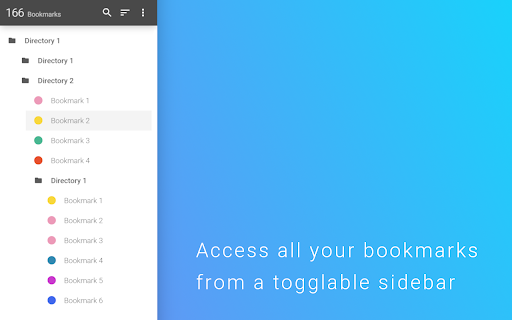
This extensions allows you to access your bookmarks by clicking on the left or right side your screen. You can edit, delete or rearrange your bookmarks by drag&drop and view some information about them by just clicking them with your left mouse button. You can check your bookmarks for updated or broken urls, too.
You can also open your bookmarks in the side panel provided by Chrome. The sidebar will then be opened alongside the websites and stays there as a permanent sidebar.
You can also optionally use a New Tab Page with the bookmark sidebar that can be enabled in the settings.
If you found a bug, have ideas for features or improvements, please let me know.
Add to Chrome
Quick Info
- Version
- 2.5.5
- Size
- 844KiB
- Price
- Free
- Type
- Extension
Categories
Languages
DeutschEnglishEnglish (United States)IndonesiaNederlandsTiếng ViệtTürkçecatalàdanskeestiespañolfrançaishrvatskiitalianolatviešulietuviųmagyarnorskpolskiportuguês (Brasil)português (Portugal)românăslovenčinaslovenščinasuomisvenskačeštinaΕλληνικάбългарскирусскийсрпскиукраїнськаעבריתالعربيةفارسیไทย中文(中国)中文(台灣)日本語한국어