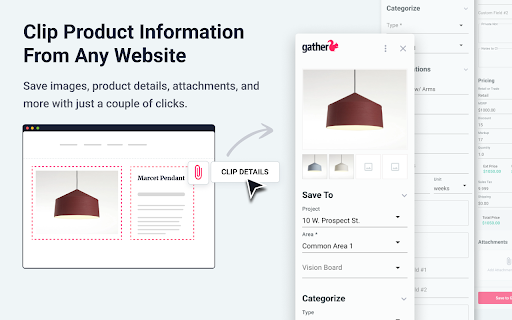
Gather Web Clipper
by gatherdevelopersScreenshots
Description
Quick Info
- Version
- 5.3.8
- Size
- 1.48MiB
- Price
- Free
- Type
- Extension
Other extensions published on the same day
NiCE Advanced Process Automation (APA) Web Browser Extension NiCE APA provides smart real-time decision-making, contextual guidance, and process automation for optimizing customer interactions. This extension allows interaction with any web-based application in Chrome, providing full...
A lazy Panda bear sleeping and dreaming. 🔥Love this look? Discover 500+ more designs by ChromeThemer.com Panda Dreaming includes a one of a kind custom made frame, toolbar set with tabs and an optimized background wallpaper that looks beautiful on most computer screens and monitors. Visit ...
Keep track of which Schoology assignments you've completed by checking them off. Homework Checker helps with organization and motivation. Learn more at joelgrayson.com/software/homework-checker or see the open-source code at github.com/JoelGrayson/Homework-Checker ===Privacy...
View, create and share your captions/subtitles for videos on video streaming sites such as YouTube and Vimeo with this open source extension! (Please help to report bugs to the Discord channel below) Watch * View community contributed captions made in NekoCap with the extension while browsing...
This maze game is here to test your thinking skills and how fast you can react. To start, just click the maze icon in the top right of your browser. Your job is to solve a new maze every time. You need move the red block from the top-left corner to touch the green block at the bottom-right. But...
🔥Love this look? Discover 500+ more designs by ChromeThemer.com Lamborghini SC20 Roofless includes a one of a kind custom made frame, toolbar set with tabs and an optimized background wallpaper that looks beautiful on most computer screens and monitors. Visit ChromeThemer.com for more...
☆Seamlessly sync your PC bookmarks to BrowseHere on TV – secure, fast, and cloud-powered! **Key Features: Export bookmarks from PC → Upload your bookmarks to the cloud and generate a 7-digit bookmark code. Cloud-based bookmark storage → Your uploaded bookmarks are securely saved in the cloud...
🚀 Quick Start 1. Install the simple sticky notes extension by clicking "Add to Chrome". 2. Right-click on any website page and select extension icon or press Alt+Shift+N (⌥⇧N on Mac). 3. Your thoughts are now saved on that page! Here are 8️⃣ reasons to choose this sticky notes app 1️⃣...