Seerobots
by claneo-chrome-extensions4.0
34 reviews
20.0K
users
Published
February 15, 2024
Screenshots
Description
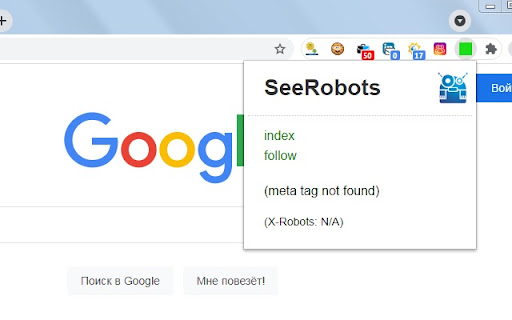
SeeRobots will conveniently show you the information meta robots tag in the head section of the website your are viewing at that moment. Depending on this information colors in the browserbar will change.
1. If the SeeRobots field is all green it means that this page has "index, follow" as robots attributes.
2. If the SeeRobots field is all red it means that this page has "noindex, nofollow" as robots attributes.
3. If the SeeRobots field is green on the left and red on the right it means that this page has "index, nofollow" as robots attributes.
4. If the SeeRobots field is red on the left and green on the right it means that this page has "noindex, follow" as robots attributes.
Add to Chrome
Quick Info
- Version
- 1.9
- Size
- 43.91KiB
- Price
- Free
- Type
- Extension
Categories
Languages
DeutschEnglish