Copy cookies to localhost
by li43623785.0
8 reviews
975
users
Published
December 19, 2023
Screenshots

Description
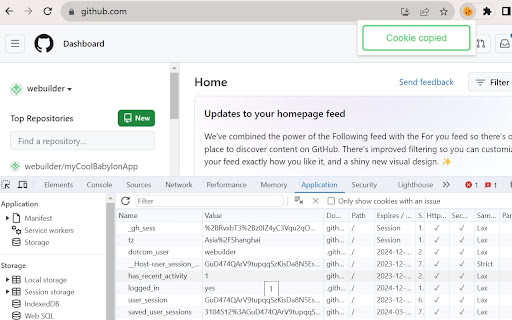
Web developer can use it copy all cookies from any website to localhost.
How to use it ?
Open any website, then click the "Copy cookies to localhost" extension, and click "Copy Cookies" button, you will see a message "Cookie copied".
After this, you can open a localhost page, open chrome devtools, select "Application" tab.
Under "Storage" - "Cookies" - "http://localhost:<your port>", you will find all cookies here.
Add to Chrome
Quick Info
- Version
- 0.2
- Size
- 14.67KiB
- Price
- Free
- Type
- Extension
Categories
Languages
English (United States)