SP Formatter
by Sergei Sergeev4.2
5 reviews
3.0K
users
Published
July 9, 2024
Screenshots

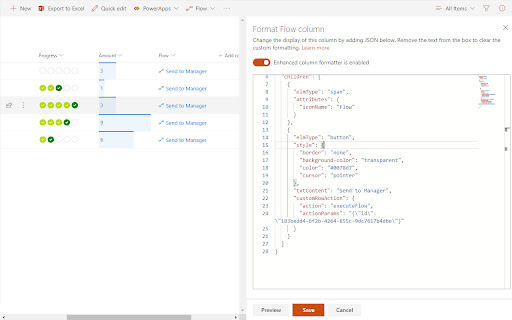


Description
SP Formatter features:
- Live Preview as you type (no need to click "Preview" button)
- Intellisense (suggestions) based on Column or View formatting schema, CSS styles, replaceable tokens (`@currentField`, list fields with `$` based on the context)
- JSON validation with error messages in the editor
- Help tooltips for JSON properties
- Color highlights
- Line numbers, brace matching, collapsible regions
- Hotkeys: search, replace, format document, go to line and others available for monaco-editor
- Easily switch between default and enhanced editor
- VSCode integration
- Full screen mode
Supported platforms:
- SharePoint Online
- SharePoint 2019 (through a separate extension, read more https://github.com/pnp/sp-formatter/blob/master/sp2019/README.md)
PRIVACY POLICY
SP Formatter does not collect nor store any personal data.
CHANGELOG:
https://github.com/pnp/sp-formatter/blob/master/web-extension/CHANGELOG.md