Element Selectors
by Auto-Browse4.8
4 reviews
2.0K
users
Published
October 3, 2023
Screenshots
Description
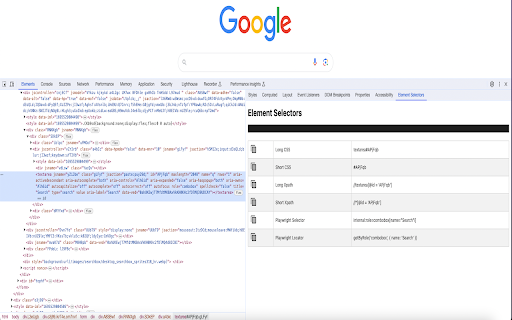
Xpath and CSS plugin to auto generate shortest xpath, css & Playwright Locators
Element Selectors plugin can also be used to auto generate the unique shortest xpath, shortest css and Playwright selectors.
Steps to generate xpath, css and playwright locator
1. Once installed, please restart your browser
2. Open the page you can want to get css selector
3. Open Devtools by clicking on the inspect window or F12 (Function F12)
4. Open the Element Selectors sidebar panel located in the devtools
5. Inspect the desired element to get the css locator
Features-
a) Playwright Locator
b) Short and Long CSS
c) Short and Long Xpath
If you are facing any issue or want to give a feedback, feel free to reach out to me at [email protected]