EmailListVerify - Email Verification Tool
by CyberPanda s.r.o.5.0
4 reviews
20
users
Published
September 20, 2025
Screenshots


Description
EmailListVerify Chrome Extension - Professional Email Verification at Your Fingertips
Transform your browser into a powerful email verification tool with the official EmailListVerify Chrome Extension. Whether you're validating a single email or processing bulk lists, our extension provides instant, accurate results directly from your Chrome browser.
KEY FEATURES:
✅ SINGLE EMAIL VERIFICATION
• Instant validation with comprehensive results
• Syntax and format checking
• Domain and MX record verification
• SMTP server validation
• Mailbox existence verification
• Role-based email detection (admin@, info@, support@)
• Disposable email identification
• Free email provider detection
📧 BULK EMAIL EXTRACTION & VERIFICATION
• Extract all emails from any webpage with one click
• Paste and extract emails from any text
• Interactive data grid with checkbox selection
• Batch verification for multiple emails
• Expandable detailed results for each email
• Export verification results
💳 CREDIT MANAGEMENT
• Real-time credit balance display
• Automatic balance refresh
• Efficient credit usage tracking
• Support for on-demand and subscription credits
🎯 PERFECT FOR:
• Sales professionals validating leads
• Marketers cleaning email lists
• Recruiters verifying candidate emails
• Researchers collecting contact information
• Anyone needing quick email validation
🔒 PRIVACY & SECURITY:
• Secure API key storage in Chrome's encrypted storage
• All communications over HTTPS
• No data stored on external servers
• Your API key never leaves your browser
🚀 EASY TO USE:
1. Install the extension
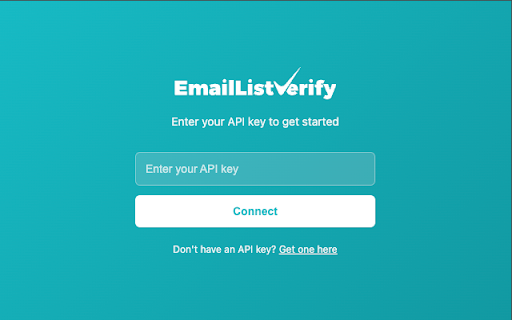
2. Enter your EmailListVerify API key
3. Start verifying emails instantly
TECHNICAL HIGHLIGHTS:
• Built with modern React and TypeScript
• Fast and responsive interface
• Minimal memory footprint
• Regular updates and improvements
• Professional EmailListVerify branding
GET STARTED:
To use this extension, you'll need an EmailListVerify account. Sign up at https://app.emaillistverify.com to get your API key and start verifying emails immediately.
SUPPORT:
• Documentation: https://emaillistverify.com/docs
• Email: [email protected]
Join thousands of professionals who trust EmailListVerify for accurate email verification. Install now and never send to an invalid email again!