
Power DevBox Flow Utility
by Power DevBox4.0
1 reviews
361
users
Published
August 11, 2025
Screenshots


Description
Save any action (including nested containers in Classic) to our own clipboard. Then add to any of your Power Automate flows.
Export actions to your device, send to others who can then import them.
Review all actions and inputs contained within the clipboard item.
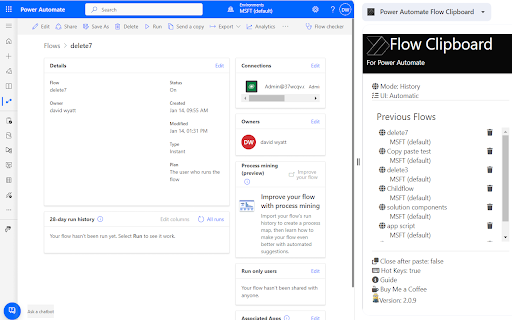
History - lists all previous flows you have edited
Force Power Automate to always load in Classic UI mode
Now works with New UI
How to use-
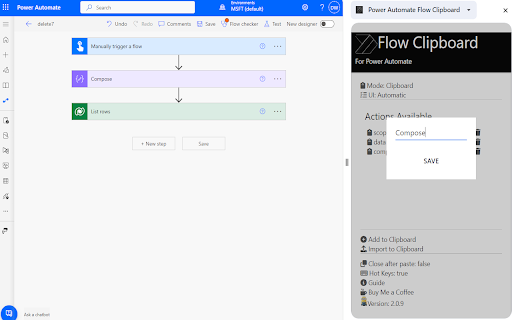
Saving to Clipboard
-Copy action to clipboard
-Open Flow Clipboard
-Add
-Name save
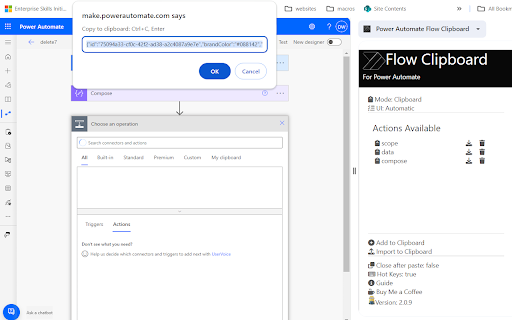
Add to flow
-Open Flow
-Open Flow Clipboard
-Click required action name
-Press enter after pop up (Classic Only)
Hot Keys
-Alt+c Adds last added action
-Alt+s saves flow
-Alt+c opens checker
-Alt-z undo (Classic Only)
-Alt-t tests flow with last flow in history
-Alt+q switch to edit (if in run log)
-Alt-x toggle copilot (New UI Only)
Add to Chrome
Quick Info
- Version
- 3.0.9
- Size
- 10.12MiB
- Price
- Free
- Type
- Extension
Categories
Languages
English (United Kingdom)