Salesforce Show Api Name
by zcchen.dev4.7
30 reviews
30.0K
users
Published
April 5, 2025
Screenshots
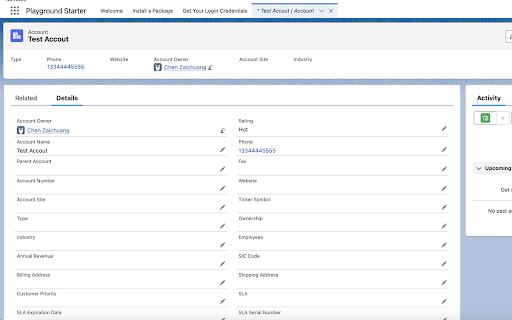


Description
Salesforce Show API Name
The easiest way to view and copy API names in Salesforce
WHAT IT DOES
1. Shows API names for all fields and objects
2. Works in both Classic and Lightning
3. Copy single or multiple fields with one click
4. Generate SOQL queries instantly
HOW TO USE
On any Salesforce record page:
1. Click the extension icon to show/hide API names
2. Click any API name to copy it
3. Advanced copy options:
[CTRL/CMD] + Click = Select multiple fields
[SHIFT] + [CTRL/CMD] + Click = Generate SOQL
KEYBOARD SHORTCUTS
Mac: Control + Command + Z
Windows/Linux: Alt + Shift + Z
INSTALLATION
Get it from the Chrome Web Store or install manually from:
https://github.com/ChenZaichuang/salesforce_show_api_name
FEEDBACK WELCOME!
Have suggestions? Contact us:
GitHub: https://github.com/ChenZaichuang/salesforce_show_api_name
Email: [email protected]
Add to Chrome
Quick Info
- Version
- 2.0.0
- Size
- 20.69KiB
- Price
- Free
- Type
- Extension
Categories
Languages
English (United States)