Printer for Google Chrome 2.0
by A & C4.3
20 reviews
2.0K
users
Published
October 9, 2022
Screenshots

Description
⬇️Easy to set up ⬇️:
1. 🆓 and very easy to operate.
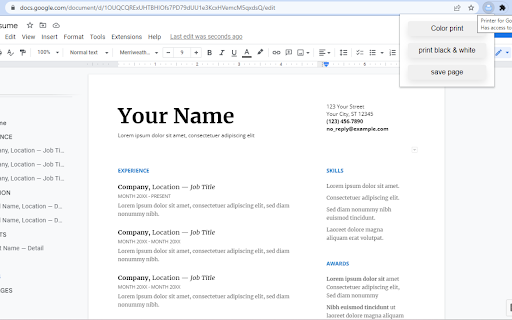
2. Place a print 🖨 button inside your web browser. So you can easily print a page with one click.
3. Choose the style and the Print button design. 🖨(color, black and white)
4. Double-click on the print icon 🖨 to save the file in HTML or PDF, or to open the Options page.
✨Features ✨:
1. Choose between the regular Print button or the Material Design Print button.
2. Or customize your own design Print button.
3. Supports both the TOUCH screen 🖥and DESKTOP screens with the mouse.🖱
4. Print button works for Windows, Mac, Linux, and Google Chromebooks.
Our extension lets you print faster the opened tab on your current browser with one single click.