

Color Eye Dropper 2.0
by C E4.0
35 reviews
6.0K
users
Published
September 4, 2022
Screenshots
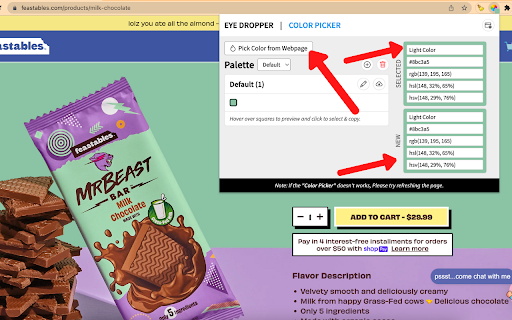

Description
⬇️ Easy to setup ⬇️:
1. Click our extension icon 🎨
2. Choose from colors found on screen in our extension drop down page or click “Pick color from web page” 🎨
3. If you chose “Pick color from web page”, go to the color on the web page and hover over it until you found the right spot/color you want 🎨
4. Click on it 🖱️
5. Go back to our extension drop down page & you’ll see the color & color code that you selected in the top right 🎨
6. That’s it!
Features:
1 - Free & Easy-to-Use 🆓
2 - Choose color from web page that is already loaded on our extension drop down page 🎨
3 - Choose color from web page from our extension drop down page 🎨
4 - Color History that shows the most recent colors you color picked w/ hover ability 🎨
5 - Color Picker/Wheel that allows you to find the color based on the HEX code or from the color wheel 🎨
Install Color Eye Dropper and start picking out colors from any web page or finding colors from our color wheel! 🎨


![CoCites [Beta]](https://lh3.googleusercontent.com/3MxLnU_N9bAamHmlRC6IGz5I5dWRp5Y7UOxI4y0bUSe2vsT1gWgCL7TvHJ78GIqdAvYE4xr3EMSOicSwuFAxs_AW5A)





