Clear Browsing Data
by Armin Sebastian4.1
33 reviews
20.0K
users
Published
February 21, 2025
Screenshots

Description
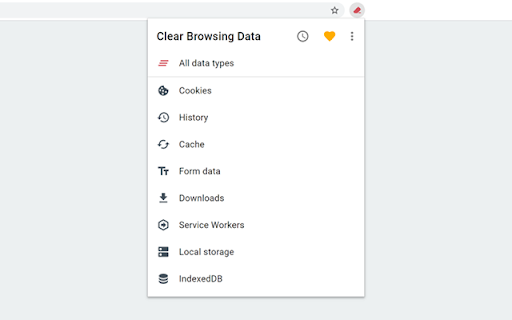
Clear Browsing Data is a browser extension which enables you to delete browsing data, such as cookies, history and cache, directly from the browser toolbar. The toolbar button can be configured to clear all browsing data with a single click, or to show a list of data types available for clearing.
The continued development of Clear Browsing Data is made possible thanks to the support of awesome backers. If you'd like to join them, please check out https://armin.dev/go/patreon
The extension also supports closing and reloading tabs, these features can be configured from the extension's options.
Supported data types:
• Cookies
• Browsing history
• Cached images and files
• Cache storage data
• Autofill form data
• Download history
• Service Workers
• IndexedDB data
• Local storage data
• Website file systems
• Plugin data
• Web SQL data
• Saved passwords
• Application Cache
Clearable data types and their order can be customized from the extension's options.
The extension is also available for Edge and Firefox: https://github.com/dessant/clear-browsing-data#readme
Reviews are not monitored for bug reports, please use GitHub for issues and feature requests.
https://github.com/dessant/clear-browsing-data