Twitter2PDF- Convert Twitter to PDF
by carl0077661.0
5 reviews
959
users
Published
July 19, 2024
Screenshots
Description
Firstly, you need to search and download the "Twitter2PDF" Chrome extension in the Chrome web store.
After installation, visit Twitter and find the content you want to save.
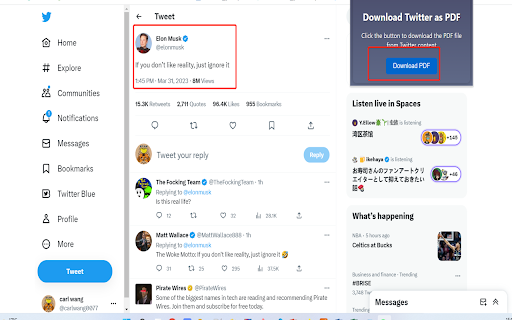
On the page where the content is located, click the "twitter to pdf" extension icon in the top right corner of your browser. This will open a new browser tab.
On the new tab, you can customize the style of the page you want to save by using different options. You can change font sizes, colors, etc. Once done, click on the "Download PDF" button.
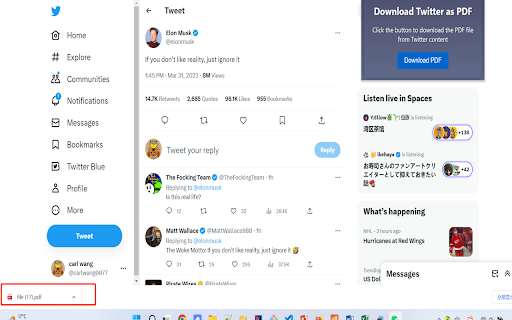
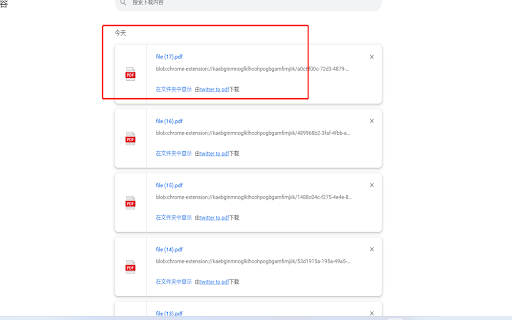
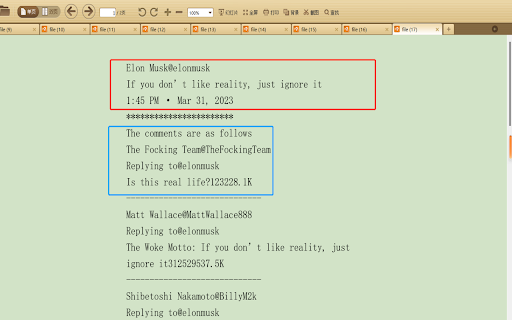
Wait for a few moments until the PDF file is downloaded. You can find the file by clicking the "Finished" button on the browser's download progress bar and then opening it through a PDF reader.
Add to Chrome
Quick Info
- Version
- 0.0.7
- Size
- 27.91KiB
- Price
- Free
- Type
- Extension
Categories
Languages
English (United States)