
G-calize
by piayo4.2
214 reviews
200.0K
users
Published
May 6, 2025
Screenshots


Description
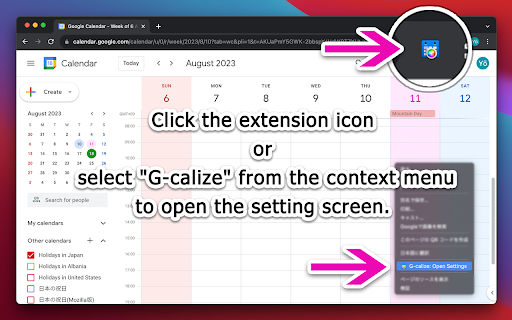
1. Click the extension icon or select "G-calize" from the context menu to open the settings screen.
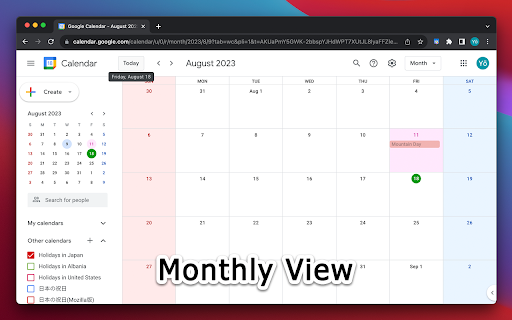
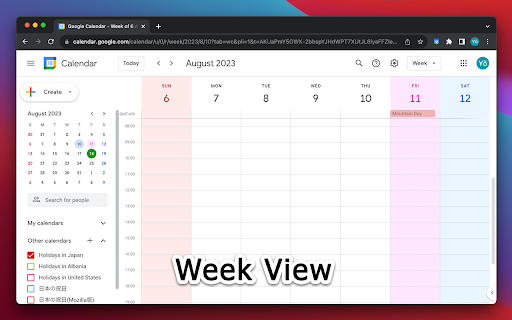
2. Set your preferred colors for each day of the week.
3. Optional: Select a holiday calendar and set holiday colors.
* You must reload the calendar page once after installation.
* Works with the URL calendar.google.com/calendar. Does not work if you use a Google Workspace custom address.
--------------------------------------------------
### 🆕 2024.12.05 Version 2.3.0
- Supports schedule display.
- Added a function to display the settings screen in a smaller size only in month view.
- Other fine-tuning.
### 2024.11.06 Version 2.2.0
- Supports dark mode display. Other fine-tuning.
### 2023.11.27 Version 2.1.0
- Added background color and border color to today's color.
- Fixed an issue where colors were misaligned in week view.
### 2023.08.20 Version 2.0.0
- Changed the way to open the settings screen.
- Renewed the settings screen.
- Removed today's text color and background color, changed to accent color selection.
- Fixed an issue where the holiday calendar could not be selected.
### 2018.02.02 Version 1.4.0
- Supports the new Google Calendar design.
### 2011.09.28 Version 1.0.0
- First release.
Add to Chrome
Quick Info
- Version
- 2.3.2
- Size
- 80.53KiB
- Price
- Free
- Type
- Extension
Categories
Languages
DeutschEnglishEnglish (United Kingdom)English (United States)IndonesiaNederlandsTiếng ViệtTürkçecatalàdanskespañolfrançaishrvatskiitalianolatviešulietuviųmagyarpolskiportuguês (Brasil)português (Portugal)românăslovenčinaslovenščinasuomisvenskačeštinaΕλληνικάбългарскирусскийсрпскиукраїнськаहिन्दीไทย中文(中国)中文(台灣)日本語한국어


