Snap clip
5.0
2 reviews
14
users
Published
May 3, 2025
Screenshots
Description
Snap clip makes copying text from complex web apps a breeze:
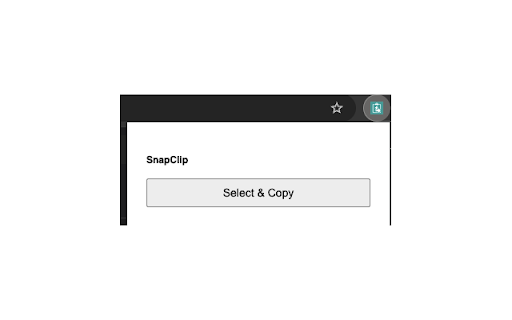
- Point & Copy: Click “Select & Copy” in your toolbar, hover to highlight any element, and click once to copy its text.
- No DevTools Needed: Works on non-selectable fields, custom widgets, and legacy CRM screens.
- Lightweight & Fast: Built on Plasmo + TypeScript, optimized for minimal impact.
- Privacy-First: All processing happens locally—no server involved and no data ever leaves your machine.
How to Use the Snap clip Extension
- Install and pin Snap clip Extension
- Click the Snap clip Icon : Activate Snap clip by clicking the extension icon in your browser toolbar. You’ll see a message: Click Select and Copy to begin.
- Click "Select and Copy", This button starts the text capture mode.
- Hover and Click to Select : Hover over any piece of text you want to copy. A red border will highlight the element under your cursor. Click once to select the text.
- Click Again to Copy : Once selected, click again to copy the highlighted text to your clipboard.
- Paste Anywhere : Use Ctrl+V or Cmd+V to paste the copied content into your desired destination.
Add to Chrome
Quick Info
- Version
- 1.0.1
- Size
- 66.68KiB
- Price
- Free
- Type
- Extension
Categories
Languages
English (United States)