
Finviz Stock Screener X eToro Extension
by amadhukar12.2
5 reviews
444
users
Published
July 24, 2022
Screenshots

Description
I use Finviz to find stocks that I can then buy on eToro.
My problem: A lot of stocks that show up on Finviz's Stock Screener aren't available on eToro. So I need to copy each ticker one-by-one, and manually check eToro on whether they exist or not.
My Solution
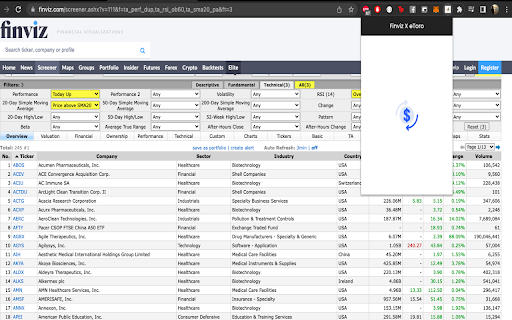
Anytime you're on the Finviz Stock Screener, you can open up this extension, it'll automatically highlight all the tickers on Finviz that actually exist on eToro.
This way, you don't ever have to waste time switching between tabs just to check if a particular stock exists. In turn, you can make quicker decisions.
Here's how it works:
1. Once you've installed the extension, head on over to Finviz's Stock Screener.
2. Set your parameters, and wait for Finviz to give you a list of stocks.
3. Simply open the extension, and it will automatically highlight all the stocks that exist in eToro.
4. You can even click on the "Open in eToro" link on Finviz or the View icon on the extension itself, to open up the stock on Etoro right away.
It's just that simple. Give this extension a shot, and let me know what you think :)