ChatGPT Full-Width Display Extension
by Luciana Hanan5.0
1 reviews
86
users
Published
December 18, 2023
Screenshots

Description
### ChatGPT Full-Width Display Extension
### Google Bard Full-Width Display Extension
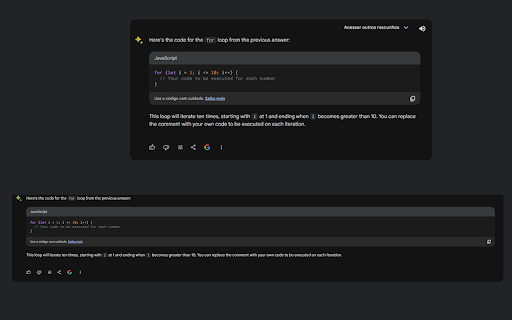
**Tired of horizontal scrolling on your wide display monitor while using ChatGPT? We've got you covered!**
#### Features:
- **Automatic Full-Width**: This extension automatically adjusts the ChatGPT or Google Bard code to utilize the full width of your display.
- **Enhanced Readability**: Say goodbye to the hassle of horizontal scrolling. Experience a seamless coding session with ChatGPT and Google Bard results.
- **Simple Installation**: Just a few clicks and you're good to go. No additional settings required.
#### How to Use:
1. Install the extension.
2. Open ChatGPT or Google Bard
3. Enjoy a full-width coding experience without any horizontal scrolling.
#### Compatibility:
- Works with all modern web browsers that support extensions.
#### Get the most out of your wide display monitor with ChatGPT Full-Width Display Extension. Happy coding!
CHANGELOG
version 1.1
- Fixed plugin to work with new changes on chatGPT site.
version 1.2
- Added full-width also to Google Bard.
Add to Chrome
Quick Info
- Version
- 1.2
- Size
- 769KiB
- Price
- Free
- Type
- Extension
Categories
Languages
English (United States)