LiveJimaku
by 塗田一帆4.7
7 reviews
892
users
Published
August 27, 2023
Screenshots
Description
◆features
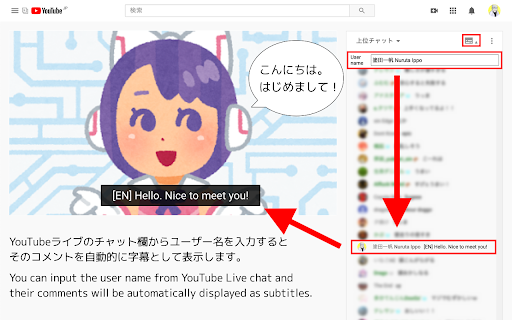
You can input the user name from YouTube Live chat and
their comments will be automatically displayed as subtitles.
If you specify the username of a volunteer who translate and comment what the streamer is saying as a real time , you can enjoy the live streams in any language.
◆Usage
(1) Click the icon in the chat field.
(2) Copy and paste the user name you want to specify
(3) Click the icon again to close it.
◆If you find a problem
Please contact me on Twitter (@nulltypo).
I can't respond to reviews.
◆Disclaimer
I'm not responsible for any loss or damage caused by this extension.