
Effortless - Make Focus Your Default
by iulspop5.0
5 reviews
15
users
Published
September 30, 2021
Screenshots



Description
I've used browsers for more than a decade. I'm consistently distracted when interacting with them. I gradually learned more about myself and improved my focus, but I wanted even greater focus. I wondered: "What if it was effortless to stay focused on the web?". That question was the seed for this extension.
Our brains are very good at planning (executive function) but poor at executing those plans (cognitive control). We set lofty goals for ourselves, but in the words of Adam Gazzaley, neuroscientist and co-author of The Distracted Mind: "our limited cognitive control abilities leads to interference."
Clear goals are what trigger focus. When you set a goal, your brain begins managing attention, memory, sub-goals so you can take action. However, our brain's control over those functions isn't fine-tuned, so it's sensitive to interference. Interference is anything that derails the process of accomplishing a goal. You can understand interference as two distinct kinds. First, distraction or information irrelevant to your goal. Second, interruption or stopping traction towards a goal before it is complete to start a new goal.
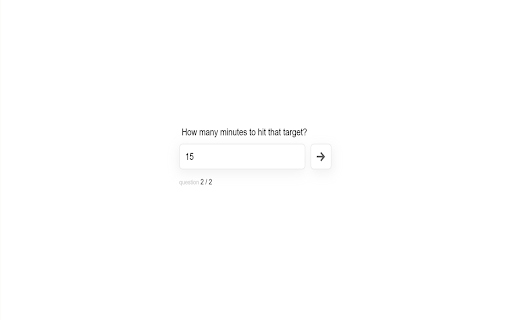
The Effortless extension assists your cognitive control abilities by asking you to make your goal explicit when using the browser and set a time box for that intention. The aim is to make it easier to keep your attention focused on a single goal until it's complete.
When you visit a page without a goal set, a prompt to enter your goal and the time you assign that goal appears. Once you've set your goal, a timer will appear on the pages you visit, reminding you of your goal. If you interrupt your goal and start a new one, you can click the "Interrupt" sidebar button. If you complete your goal, you can click the "Complete" sidebar button. At which point, the extension will prompt you again to enter your goal.