
YouTube Bias Hider
by madebybk033.7
6 reviews
28
users
Published
August 11, 2021
Screenshots
Description
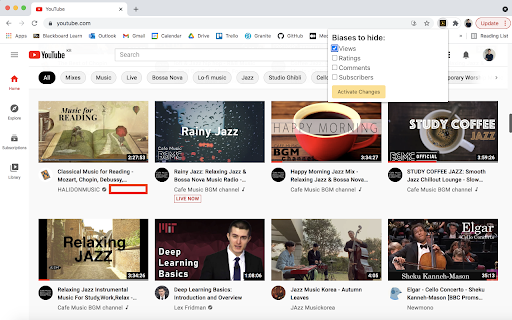
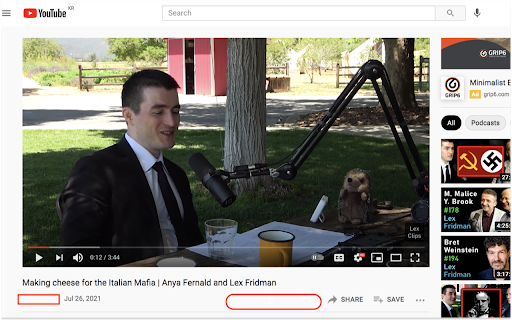
Hide YouTube views, likes/dislikes, comments, and/or subscribers according to your preferences.
Reduce potential biases from the YouTube metrics and consume information with minimal preconceptions.
How to use:
1. Click "YouTube Bias Hider" under the extensions tab on your browser.
2. Select the biases to hide, and click "Activate Changes".
3. To change your selection settings, repeat steps 1 and 2.
** None of the biases will be hidden by default at initial use. Once the selections are made by the user, they will be saved on the extension until any further changes are made.
--------------------
This product was built by BK from https://madebybk.github.io
Add to Chrome
Quick Info
- Version
- 0.1.0
- Size
- 10.31KiB
- Price
- Free
- Type
- Extension
Categories
Languages
English (United States)