
Auto EduNext
by minhdung254.9
275 reviews
9.0K
users
Published
May 18, 2025
Screenshots


Description
Step 1: Install extension to your device
Step 2: Click reload page to use,
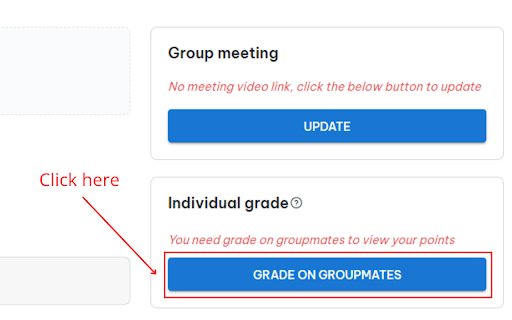
Step 3: Click on the "Grade on groupmates" button and then automatically rate 5 stars (member rating)
Or click on the "Grade" button and then automatically rate the presentation 5 stars (score the presentation).
Step 4: Click the "Grade" button to record the score
- If you are not satisfied with the 5-star score, please turn off the extension, then reload the page and rate it as you like.
- Allow CTRL + C and CTRL + V