
Jira Ticket Turbo (JTT)
by fahim1525.0
1 reviews
10
users
Published
March 8, 2024
Screenshots

Description
The Jira Ticket Turbo (JTT) is a Chrome extension designed to help developers, project managers, and team members streamline their workflow in Jira. With a focus on simplicity and speed, this extension enables users to swiftly open Jira tickets using their ticket numbers without navigating through multiple boards and projects.
Features
Multiple Project Storage: Keep track of various Jira boards and effortlessly switch between them.
Quick Access to Tickets: Simply enter a ticket number and instantly access the corresponding Jira ticket.
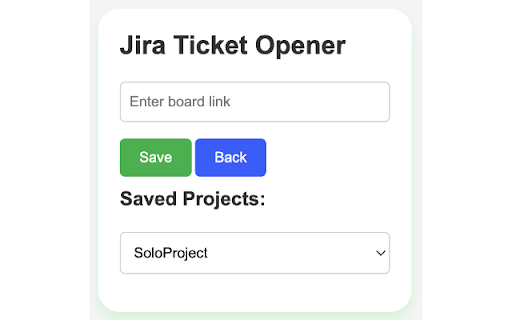
Intuitive Project Selection: When working with multiple Jira boards, choose your active project from a dropdown list.
Memory Feature: The extension automatically remembers the last accessed project for a personalized experience each time.
Most Recent Tickets: The extension will save up to 6 tickets as most recently used. So no need to type recently opened ticket repetitively.
Clean User Interface: A user-friendly interface ensures that both first-time users and experienced developers can efficiently use the extension.
Usage
Initial Setup:
- Click on the extension icon.
- Click on the "Board" from the left panel of your JIRA project and then copy the link to the Board from the address bar.
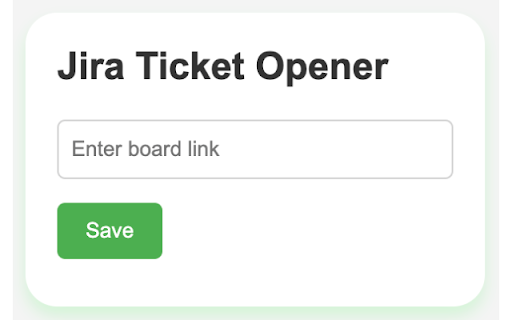
- Input your Jira board link into the "Board Link" field.
- Click "Save."
Open a Ticket:
- Select the project from the dropdown list (if multiple).
- Input the ticket number.
- Click "Open Ticket."
Open a Board:
- Select the project from the dropdown list (if multiple).
- Click "Open Board Option"
Manage Projects:
- Use the "Add Another Project" button to add more Jira board links.
- Use the "Clear Saved Project" button to remove all saved projects.
Manage Recent Tickets:
- Click recently used ticket to open
- Click clear button to clear all previously opened ticket
For any feedback contact:
Email: [email protected]
LinkedIn: https://www.linkedin.com/in/fahim152
Github: https://www.github.com/fahim152
Add to Chrome
Quick Info
- Version
- 1.1.0
- Size
- 27.81KiB
- Price
- Free
- Type
- Extension
Categories
Languages
English (United States)