Cmd-E AI
by Worthwhile Apps5.0
1 reviews
31
users
Published
September 17, 2024
Screenshots
Description
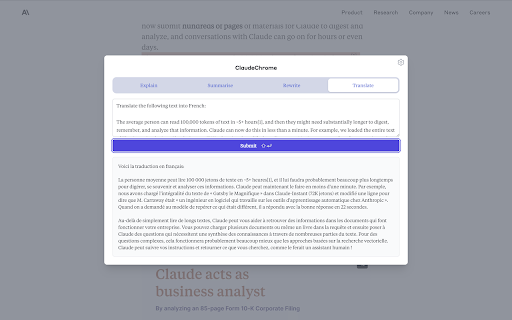
Cmd-E AI is a rapid way to query a large language model, without leaving your browser tab.
When reading or writing content in the browser, you might find yourself doing this dance too often:
- copying some text on the page
- opening a new Claude or ChatGPT tab
- pasting the text and annotating the input field with some question or instruction
- waiting for the response before returning to where you were
Or maybe you just switch tabs a lot to ask Claude something. What if you had a shortcut key to open a modal on any page, and could ask Claude in one or two keypresses?
Cmd-E opens a modal with fully customizable template prompts, prefilled with any text you had selected on the webpage.
Instructions:
1. Install the chrome extension
2. Optionally, select some text on any webpage
3. Press Cmd + E (or Ctrl + Shift + E on windows)