dblp Search
by Fabio Calefato5.0
1 reviews
143
users
Published
December 8, 2025
Screenshots
Description
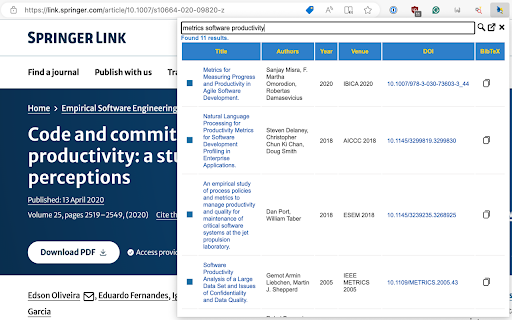
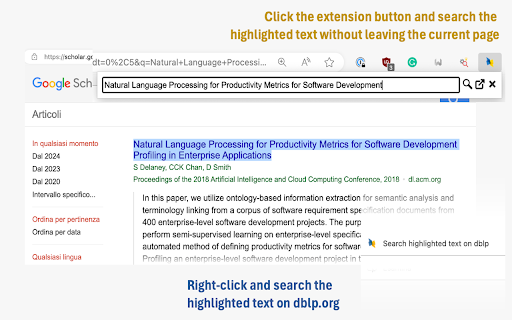
Search academic publications on dblp.org from everywhere. Highlight a text on any page, hit the button extension, see the matching publications, and copy the BibTeX entries to the clipboard.
# Features
- Search entries (either enter text in the search box or highlight text first).
- Search results are displayed in a table (title, authors, venue, year, DOI).
- Support for results pagination.
- The same DBLP.org color pattern is used to distinguish them by type (Proceedings, Books, Journals, etc.).
- The copy button copies the entry's BibTex reference to the keyboard.
- Ver 2+ are more efficient as they uses the official API released by dblp.org.
- Filter out useless CoRR abs entries
# Options
You can configure the following options:
- Limit results: You can limit the number of results returned by a query.
- Citation key renaming. Overrides the default citation key generated by DBLP.org with a simpler scheme '<name><year><venue>'
- Remove timestamp, biburl, and bibsource fields from a BibTeX entry when copying it to the clipboard
Add to Chrome
Quick Info
- Version
- 3.2.0
- Size
- 862KiB
- Price
- Free
- Type
- Extension
Categories
Languages
English (United States)