TabNotes
by BANSAL4.0
16 reviews
1.0K
users
Published
July 18, 2025
Screenshots



Description
Take the notes in your new Tab.
Press CMD + T (Mac) or Ctrl + T (Windows) to take a note.
Let the new tab keep you focused on what you want to do.
Increase your productivity.
What is Tab Notes?
- TabNotes is a Browser Based Notepad
- TabNotes is a Simple Text Editor
- TabNotes is an Online text editor
- TabNotes is an Online notes taking app
Features:
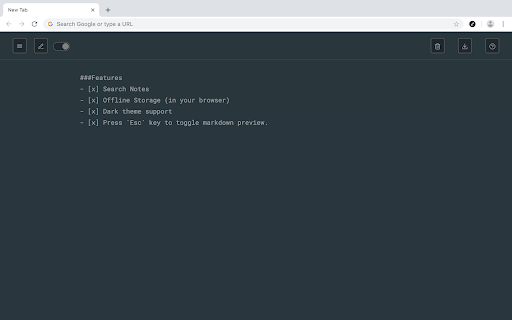
- Markdown Preview
Take notes in markdown, and preview as HTML. Press esc key to toggle HTML Preview.
- Dark mode
Developer loves the dark mode. So we have the one. Default theme is white.
- Auto Save
You don't need to save your text note. When you open new tab start from where you were left.
- Multiple notes.
Chrome allows you to store up to 5MB. It's enough to save 5,000 notes of small size.
- Offline Storage
Notes are stored directly in your browser. So only you can access your notes.
V-1.1.0
- Added HTML Preview of markdown syntax
- Changed Color Scheme of dark theme.
- Fixed some minor issues.