
Web2Markdown - Markdown Web Clipper
by openHacking5.0
2 reviews
1.0K
users
Published
December 4, 2025
Screenshots
Description
🚀Description:
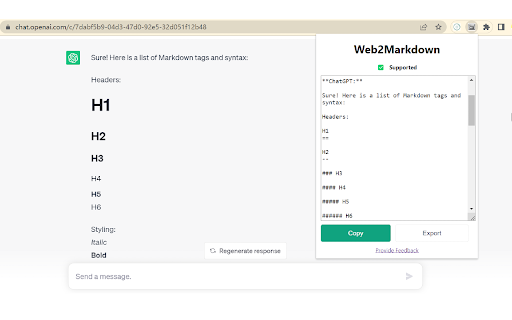
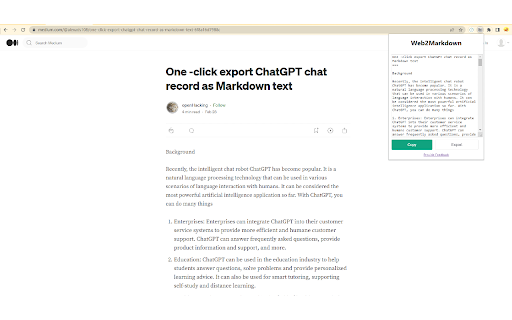
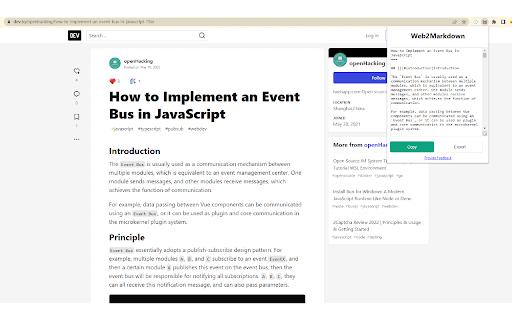
You can convert the content of the current page into Markdown format with just a click while browsing. This conversion retains the text, headings, links, images, and other elements of the web page, enabling you to save and share website content in a concise and readable manner.
💪Supported sites:
Supports almost all blog sites!
Most websites will use a common parsing method, but some websites must be specially processed to export normal Markdown text. For example the following sites
1. chat.openai.com
2. notion.site
3. medium.com
4. dev.to
5. zhuanlan.zhihu.com
If there is a problem with the analysis of the website you visit, please give me feedback in time.
⚒️Usage:
1. Click the extensions icon on the right side of the browser address bar, find Web2Markdown in the drop-down list, and pin it
2. Find the pinned Web2Markdown on the right side of the browser address, click to pop up a card
3. The converted Markdown text will be displayed immediately on the interface, you can copy or download it
4. Whether to insert metadata in the sidebar setting
⏰Feedback:
For more tutorials, please visit: https://chatopenai.pro/web2markdown/.
If you have any questions or needs, please contact me in time by email [email protected]