Allow Right Click
by Keller3.2
11 reviews
10.0K
users
Published
October 7, 2025
Screenshots

Description
Allow Right Click extension enables you to unblock the right-click operation on websites that put restrictions on it.
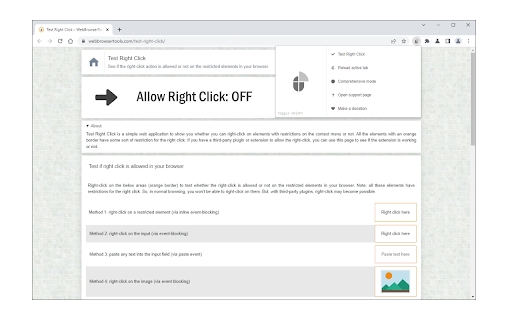
To work with this addon, please navigate to a website (with HTTP, HTTPS, or File protocol). Then, open the toolbar popup and press the toggle button on the left side to activate the addon. Now, you can right-click anywhere on the page (active tab). To de-activate the addon, please reload the page or press the toggle button again. Please note that pressing the toggle button to de-activate the addon reloads the page automatically. You can choose to work with this addon in comprehensive or basic modes. In comprehensive mode, more right-click blocking rules are covered. Please open the toolbar popup and mark/unmark the comprehensive mode option. When this option is unmarked, the basic mode will be activated automatically.
Note: This addon works per tab only and activates on user-action by pressing the toggle button within the toolbar popup. Reloading the page de-activates the addon.
If you have a feature request or found a bug to report, please fill out the bug report form on the addon's homepage (https://mybrowseraddon.com/allow-right-click.html).