Ask AI
by Pravin Singh20
users
Published
December 23, 2024
Screenshots
Description
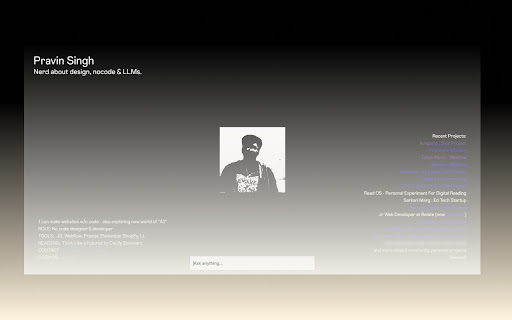
AI Assistant Chrome Extension - Smart Text & Image Analysis
Overview
Transform your browsing experience with our powerful AI Assistant Chrome Extension. Get instant AI-powered insights, explanations, and analysis for any text or image on the web with just a right-click.
Key Features:
🔍 Smart Text Analysis
- Select any text on any webpage
- Right-click and choose "Ask AI about [selection]"
- Get instant, concise AI-powered explanations and insights
- Continue the conversation with follow-up questions
🖼️ Image Analysis
- Right-click any image and select "Ask AI (Image)"
- Get detailed descriptions and analysis of image content
- Perfect for accessibility, research, and learning
⌨️ Quick Access
- Use keyboard shortcut (Ctrl+Shift+A) to instantly open AI assistant
- Ask questions about any content without selection
- Seamless integration into your browsing workflow
How to Use:
Text Analysis
1. Select any text on a webpage
2. Right-click the selection
3. Choose "Ask AI about [selection]"
4. Type your question in the popup
5. Get instant AI-powered responses
6. Ask follow-up questions to dive deeper
Image Analysis
1. Right-click any image on a webpage
2. Select "Ask AI (Image)"
3. Ask specific questions about the image
4. Receive detailed analysis and descriptions
Keyboard Shortcut
- Press Alt+Shift+A (Windows/Linux) or Cmd+Shift+A (Mac) to quickly open the AI assistant
- Perfect for quick questions without text selection
Use Cases:
1. Education
- Instant explanations of complex concepts
- Research assistance
- Quick fact-checking
- Language learning support
2. Professional
- Content analysis
- Quick research
- Image content verification
- Accessibility support
3. Personal Use
- Better understanding of complex text
- Image analysis for various purposes
- Learning assistance
- Quick information lookup
Privacy & Security:
- All interactions are processed securely
- No personal data storage
- Direct API communication with OpenAI
- Transparent processing
Transform your browsing experience with AI-powered insights at your fingertips. Install our Chrome Extension today!