
Capture screenshot & Screen Recording
by Vales4.2
35 reviews
6.0K
users
Published
December 14, 2025
Screenshots


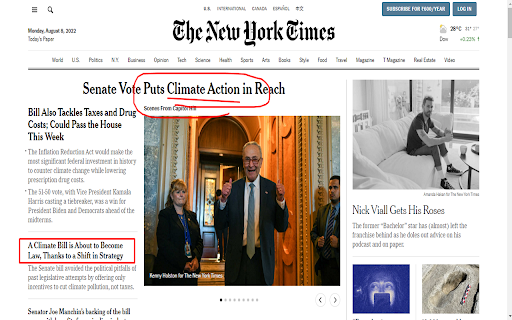


Description
Capture FULL page screenshots. Edit and save screenshot. Record screencasts - record video from your screen. Record how-to guides.
★ Used by Huge number of users on different platforms ★
Capture the entire web page or specific parts of it. Edit your screenshots with a very user-friendly interface. Record screencasts - record video from your screen.
🚀 screen capture will help you to:
✔ Capture the entire web page or a required section of it
✔ Capture the entire browser window
✔ Capture the browser window of other programs
✔ Quickly capture a site fragment
✔ Record video from your screen/tab (Screencasts)
✔ Record video from another active program
✔ Create your own drawing or model from scratch
✔ Paste different patterns and text boxes onto your screenshot
✔ Resize and crop your screenshot
✔ Add arrows and stickers to your screenshot
✔ Highlight text on your screenshot and take screen shot easily
✔ Save screenshots in: JPG and PNG or PDF
✔ Convert , merge or compress PDF easily
✔ GIF recording to show animation
✔ GIF compression so that it can be attached in mail by reducing size
screen capture supports horizontal scrolling. The editor interface allows editing objects even after you add them to the screenshot
📷 There are 3 ways to capture your screen:
a) With the button in your address bar;
b) With the context menu;
c) With a hot key that you assign in the program settings.
ChatGPT integration
Use chatgpt to solve your screenshot, translate screenshot, summarize screenshot and many more
Sharing tool
a) Share screenshot to Whatsapp
b) Share screen shot to Gmail in one click
Removes some popular ads while taking screenshot
App will add icon over youtube player to take screenshot. also customer can take youtube screenshot easily in one click , just click the camera icon over youtube and take screenshot easily. screen recording the easy way.
Take bookmarks and add task to do later.
Store history of images edited for later use
Add to Chrome
Quick Info
- Version
- 1.4.1
- Size
- 4.75MiB
- Price
- Free
- Type
- Extension
Categories
Languages
DeutschEnglishIndonesiaNederlandsTiếng ViệtTürkçecatalàdanskeestiespañolfrançaishrvatskiitalianolatviešulietuviųmagyarnorskpolskiportuguês (Brasil)português (Portugal)românăslovenčinaslovenščinasuomisvenskačeštinaΕλληνικάбългарскирусскийсрпскиукраїнськаհայերենעבריתاردوالعربيةفارسیবাংলাไทย中文(中国)中文(台灣)日本語한국어