Vocab
by Lu5.0
2 reviews
114
users
Published
February 28, 2025
Screenshots

Description
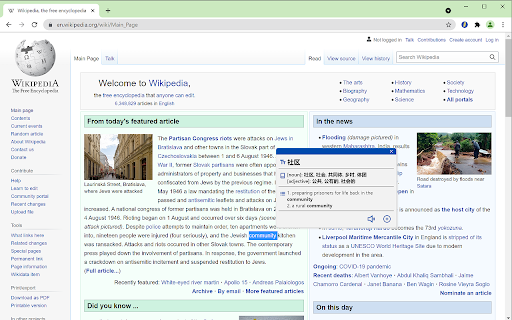
Selected text on web page and translate it on context menu. The translation result will be shown in a floating modal, and can be added to a glossary book by clicking '+' button or pronounced by clicking the speaker button.
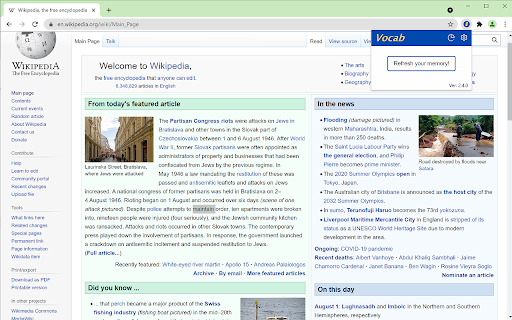
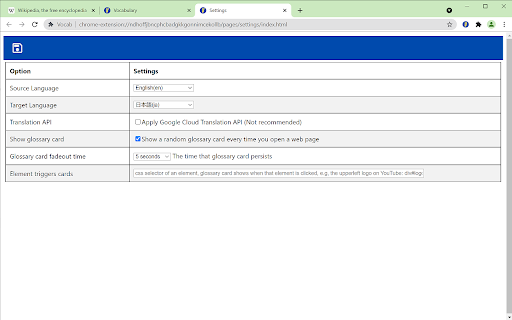
Please also take a look at the settings from popover, where you can configure several settings for the extension, including:
1. the source and target languages, currently supports 24 languages
2. displaying a random glossary card every time you open a new page. This can help you to memorize and learn the vocabularies, since the new vocabularies is presented to you from time to time.
3. Support setting a CSS selector, so that every time the element of the CSS selector is clicked, a random glossary card will also show up. This can furtherly increase the exposure of the vocabularies when you are browsing on internet
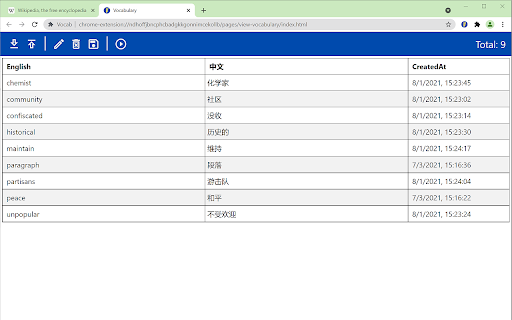
The added vocabularies can also be viewed, searched, edited, exported, imported and read aloud repeatedly in the vocabulary viewer from popover.
There is also a simple statistics view from popover, showing how frequently you added new vocabularies to the glossary book.
The translation is achieved by google translation free API.
Add to Chrome
Quick Info
- Version
- 3.7.2
- Size
- 1.14MiB
- Price
- Free
- Type
- Extension
Categories
Languages
DeutschEnglishFilipinoIndonesiaKiswahiliMelayuNederlandsTiếng ViệtTürkçecatalàdanskeestiespañolfrançaishrvatskiitalianolatviešulietuviųmagyarnorskpolskiportuguês (Brasil)português (Portugal)românăslovenčinaslovenščinasuomisvenskačeštinaΕλληνικάбългарскирусскийсрпскиукраїнськаעבריתالعربيةفارسیमराठीहिन्दीবাংলাગુજરાતીதமிழ்తెలుగుಕನ್ನಡമലയാളംไทยአማርኛ中文(中国)中文(台灣)日本語한국어