Page capture screenshot tool-ThisShot
by addonx4.7
78 reviews
8.0K
users
Published
April 29, 2023
Screenshots



Description
An easy-to-use, completely free web screenshot extension.
Function:
Support full page screenshots;
Supports screenshots of the current viewable area;
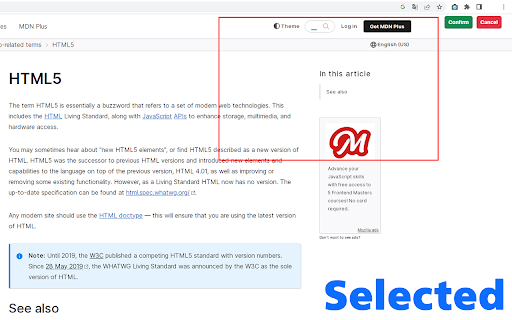
Support selected area screenshot;
Supports screenshots of interfaces other than the current web page, such as computer desktops, documents, other application interfaces, other tab interfaces, etc.;
Feature:
Your screenshots can be saved in three formats: PNG, JPG, and PDF;
You can mark up your screenshots (draw lines in the screenshot, add arrows, etc.);
You can select local images and mark them.
You can copy the screenshot to the clipboard and paste it when blogging;
Add to Chrome
Quick Info
- Version
- 1.0
- Size
- 1.32MiB
- Price
- Free
- Type
- Extension
Categories
Languages
DeutschEnglishEnglish (United Kingdom)English (United States)FilipinoIndonesiaKiswahiliMelayuNederlandsTiếng ViệtTürkçecatalàdanskeestiespañolespañol (Latinoamérica)françaishrvatskiitalianolatviešulietuviųmagyarnorskpolskiportuguês (Brasil)português (Portugal)românăslovenčinaslovenščinasuomisvenskačeštinaΕλληνικάбългарскирусскийсрпскиукраїнськаमराठीहिन्दीবাংলাગુજરાતીதமிழ்తెలుగుಕನ್ನಡไทยአማርኛ中文(中国)中文(台灣)日本語한국어