Github JSON Editor
by techierishi73
users
Published
July 18, 2022
Screenshots

Description
We normally have many Github repository multiple JSON files in it. Most times these JSON files are application configuration and we tend to edit them directly from Github. As Github's own editor doesn't have any sort of validation for checking the syntax of the JSON file being saved, we sometimes save these JSON files with syntax error which results in app runtime error.
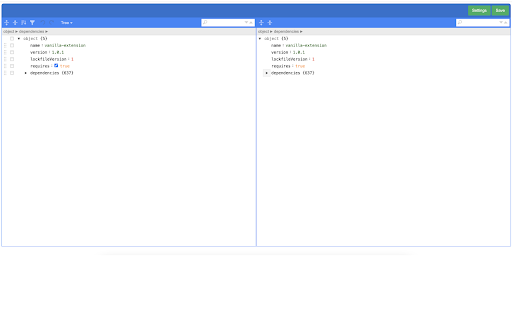
This chrome plugin helps you make sure you are not saving wrong JSON and keeps your JSON formatted.
Steps to use it:
1. Install this plugin from Chrome web store.
2. Open this plugin and save your settings like Github token, Username, Email etc.
3. Now open any JSON file on Github. You shall see a button labelled 'JSON Editor'. Click on that button
4. Plugin will open with that JSON filled in a new tab.
5. Now you can make any changes to JSON and finally click 'Save' button to commit your changes to your repository.
Support for multiple settings based on host
Source: https://github.com/techierishi/gejson.git