
Slack hider
by Matt Thurmond (Digital Detox NYC)5.0
2 reviews
30
users
Published
October 2, 2023
Screenshots

Description
UPDATE: In September of 2023 Slack updated their UI, so I updated this extension so it works with their new UI.
If you see any issues, please file them in the github repository below and I will look into them. Thanks!
----
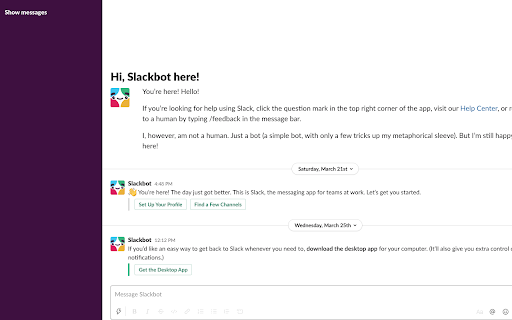
Now you can hide your slack messages when using the web app. This lets you get in the flow and do more deep work.
After you open the slack web app, click the "Hide messages" button to hide your messages. You'll still be able to search slack and use it as a reference, just without all the messages appearing in the left sidebar.
When you're ready to view your messages, just click "Show messages".
This extension only works for the web app. It doesn't work for the desktop app.
View the code on github:
https://github.com/mthurmond/slack-hider
--> Try my other extensions to remove distractions. Both are free & open source:
- Distraction free for Linkedin™: https://chrome.google.com/webstore/detail/distraction-free-for-link/kigfnbfbpfpgphbocdkmeablbgdbpfke?hl=en&authuser=0
- Gmail Inbox Hider: https://chrome.google.com/webstore/detail/gmail-inbox-hider/koobmglbcddgeoopgphanmhjppfaehaa?hl=en&authuser=0
Add to Chrome
Quick Info
- Version
- 1.4
- Size
- 53.64KiB
- Price
- Free
- Type
- Extension
Categories
Languages
English (United States)