copylink.dev | Copy link with shortcuts
by wintorse5.0
2 reviews
105
users
Published
October 12, 2025
Screenshots




Description
💻 Productivity Boost
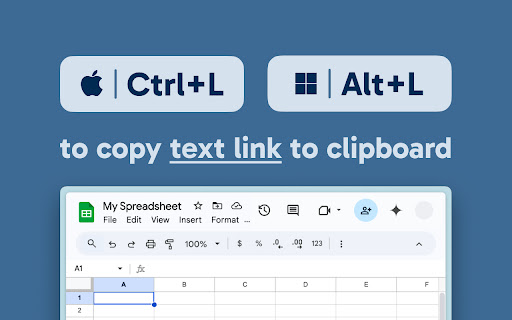
This extension provides shortcuts to copy links with the title of the current page.
It's more readable and efficient than sharing a raw URL.
Plus, it makes information easier to find later since links will appear in searches by title.
✨ Share-friendly text links
On the following sites, the extension copies clean and concise titles.
For Slack users, it also offers a feature to prepend a Slack emoji for improved readability.
・Google Sheets™ / Docs™ / Slides™
・GitHub Pull Request / Issue
・Jira Issue
・Asana Task
・Backlog Issue
・Redmine Issue
⚡️ Default shortcuts
Mac Windows
Ctrl+L Alt+L Copy link
Shift+Ctrl+L Shift+Alt+L Copy link with Slack emoji
Ctrl+T Alt+T Copy title only
🔧 Settings
・Customize shortcuts at chrome://extensions/shortcuts
・Set a custom Slack emoji by clicking the extension icon
You can also add emojis for custom websites.
--------------------------------------------------------------------------------------
⭐️ If you like this extension, give a star on my GitHub repository!
https://github.com/wintorse/copylink-dev
➕ Also available as a UserScript!
https://gist.github.com/wintorse/10e2ec0206a0f29522cb06c6dafd2611
Add to Chrome
Quick Info
- Version
- 1.0.2
- Size
- 36.02KiB
- Price
- Free
- Type
- Extension
Categories
Languages
English中文(中国)日本語