Lock In
by Aaron Cohen5.0
1 reviews
7
users
Published
January 11, 2025
Screenshots



Description
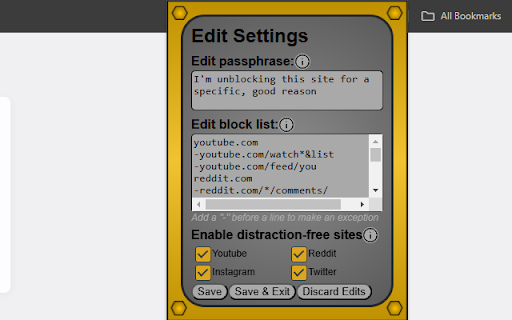
-First you set up a list of sites to block, and then when you start a lock-in session, you wont be able to enter them
-If you want to temporarily bypass the block and access a restricted site, you can do so by typing in a passphrase of your choice and selecting the duration of the unblock. This gives you flexibility while eliminating mindless scrolling
-You can also choose to remove especially distracting parts of some sites, such as infinite scrolls of content and algorithmic recommendations
-Hopefully this will allow you to be more in control of your attention!
*This extension is in early stages of development, there will be bugs. Please report any you find to [email protected]
*If you have any ideas for new features or changes to existing ones, I'd love to hear them too. Thanks!
*This extension is open source! You can review the source code here: https://github.com/ioncohen/productivityExtension